


Calendar and import
Pro featuresImport shifts from Lantum and other platforms, and export your schedule.
Calendar view
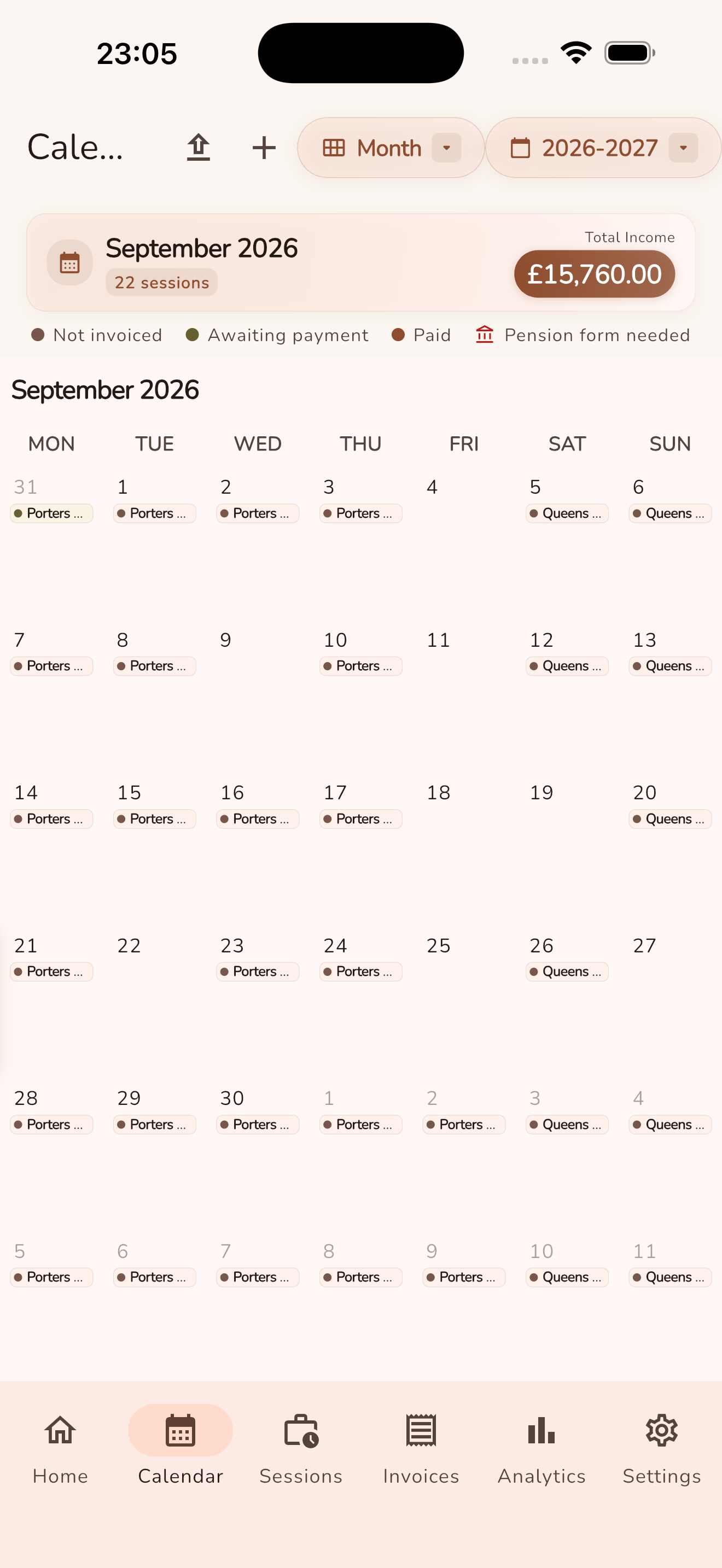
View your logged and upcoming sessions in a monthly calendar. The calendar respects your selected UK tax year.
Session colours show invoice progress:
- Not invoiced — the session has not been added to an invoice.
- Awaiting payment — an invoice has been created but is not marked paid.
- Paid — payment has been recorded.
A bank icon and Pension form needed badge identify completed, pensionable sessions that are not yet included on a Form A or SOLO form. Future and non-pensionable sessions are not flagged. These pension indicators only appear when NHS pension tracking is enabled in Settings.
Shortcuts: long-press a session (week or day appointment, or a month chip) to copy it. Long-press a date to paste if something is copied, or to add a session or leave if the clipboard is empty.
Import from Lantum (Pro)
Paste your Lantum iCal URL in Settings to import booked shifts. See the FAQ for how Lantum import works:
- Copy your iCal feed URL from Lantum.
- Open Settings → Calendar & import.
- Paste the URL and save.
- Review imported shifts and log them as sessions.
LocumBook also supports other booking platforms such as LocumDeck and Patchwork where iCal feeds are available.
Device calendar import (Pro)
Import sessions from your device calendar for shifts already in your personal calendar.
Calendar export and subscribe (Pro)
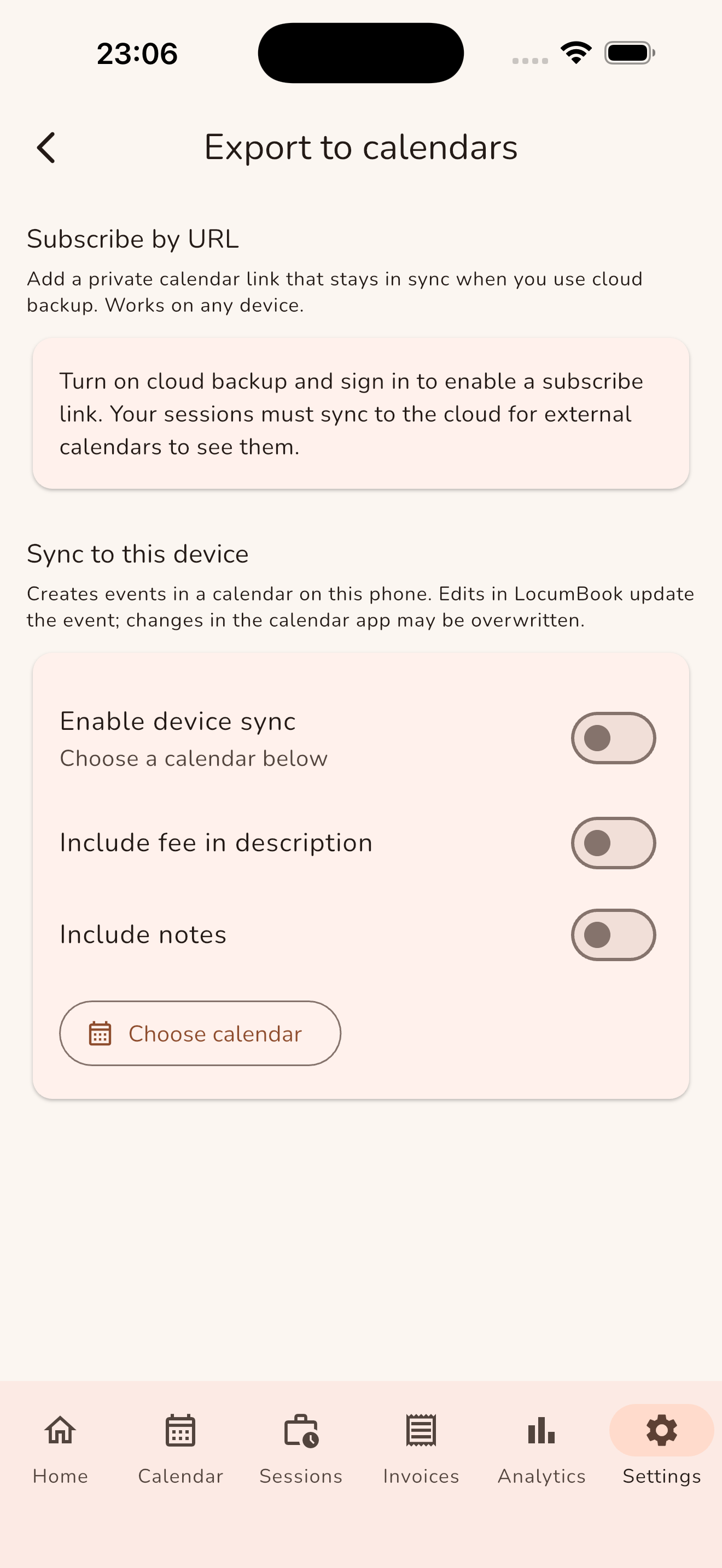
Export your LocumBook shifts as an iCal feed. Subscribe in Apple Calendar, Google Calendar, or Outlook to see your locum schedule everywhere.
Pro required: Calendar feed import, device calendar import, and calendar export/subscribe. See Pricing for Pro plans.