


Sessions
Search, sort, filter, and batch-manage your locum sessions.
Find a session
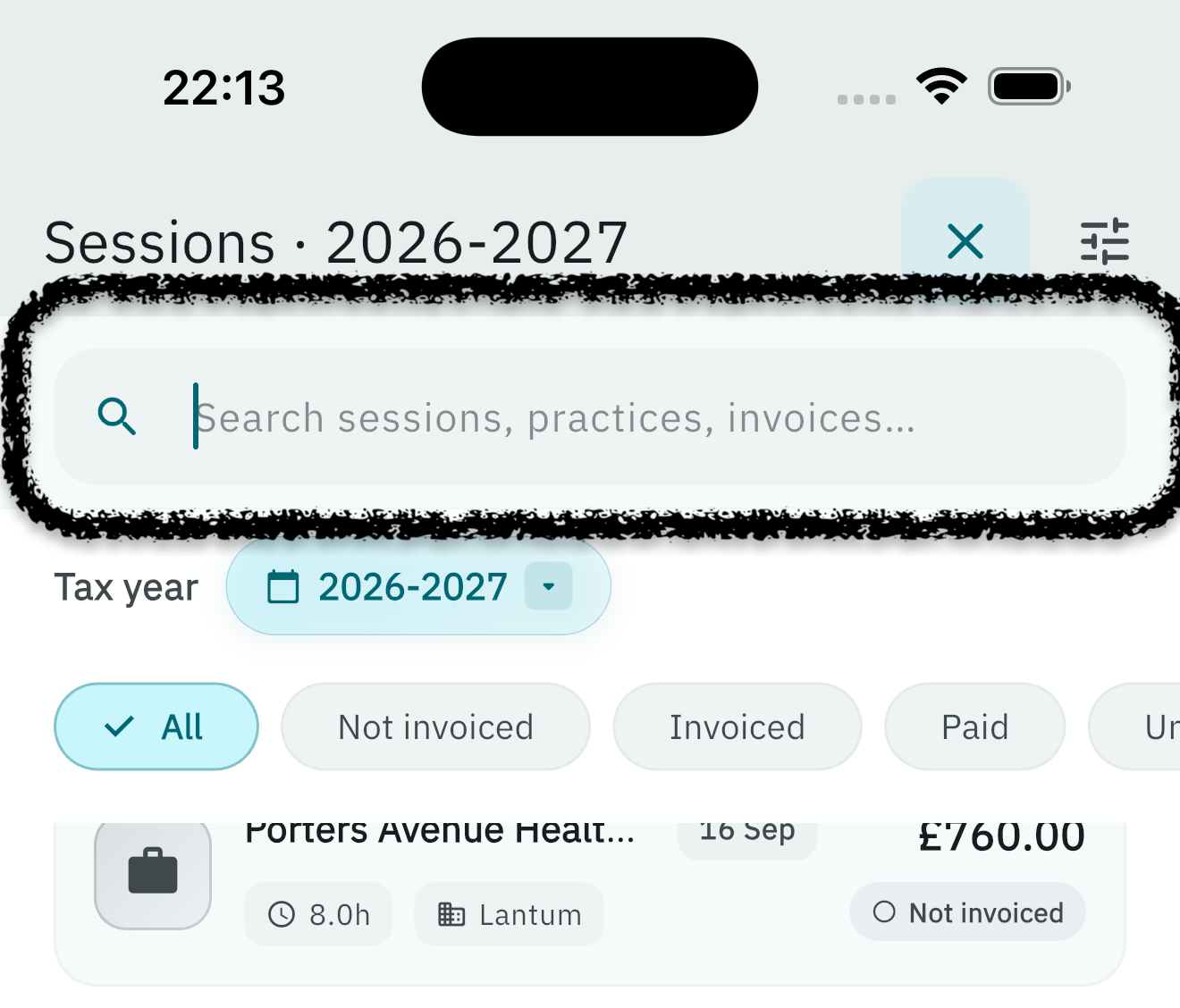
Search by practice name, booking source, or invoice number. Useful when reconciling payments or chasing remittance.
Sort and group
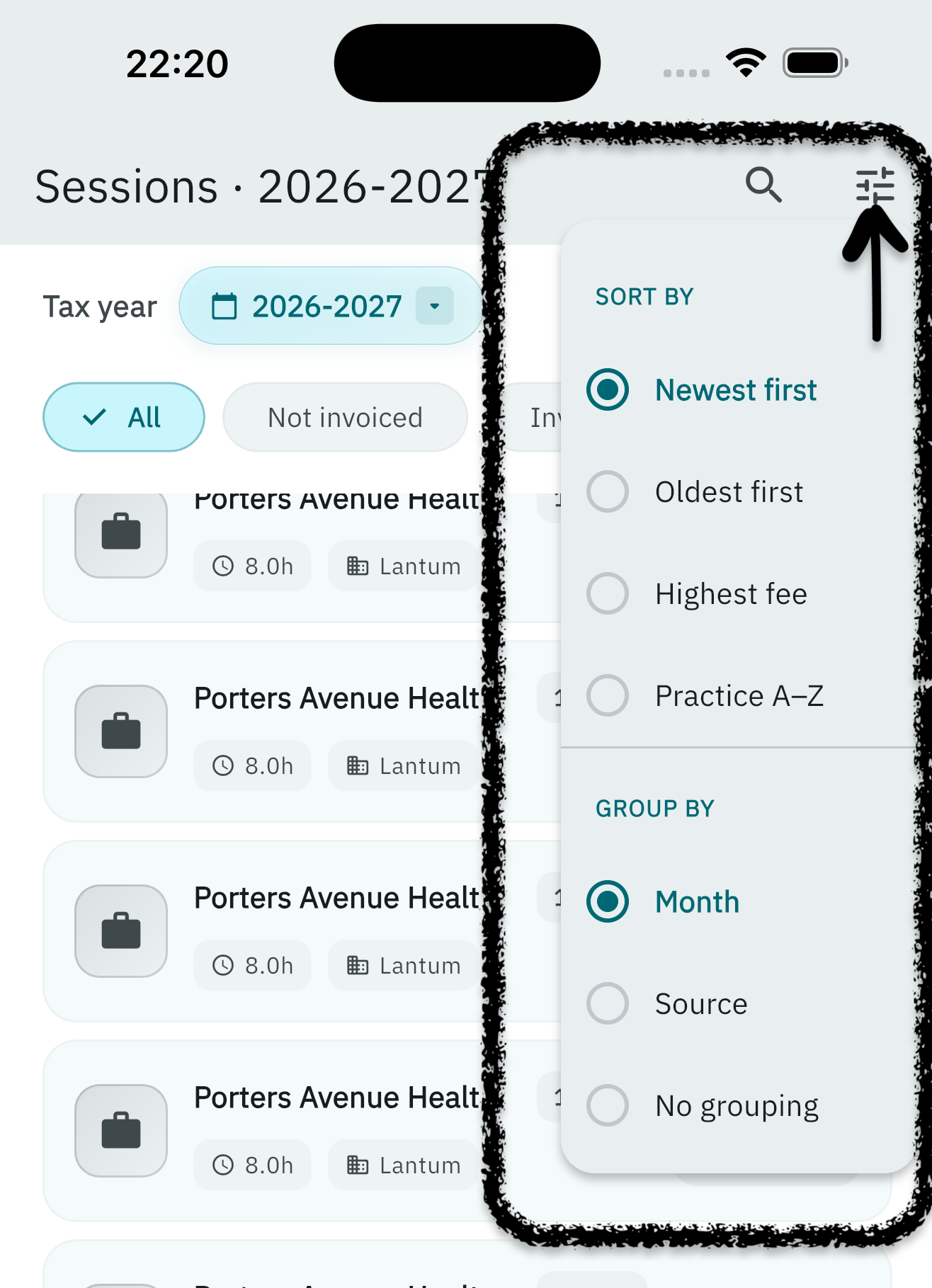
Tap the sliders icon to reorder your sessions by date, fee, or practice, and group them by month or booking source for easier review.
Filter by status
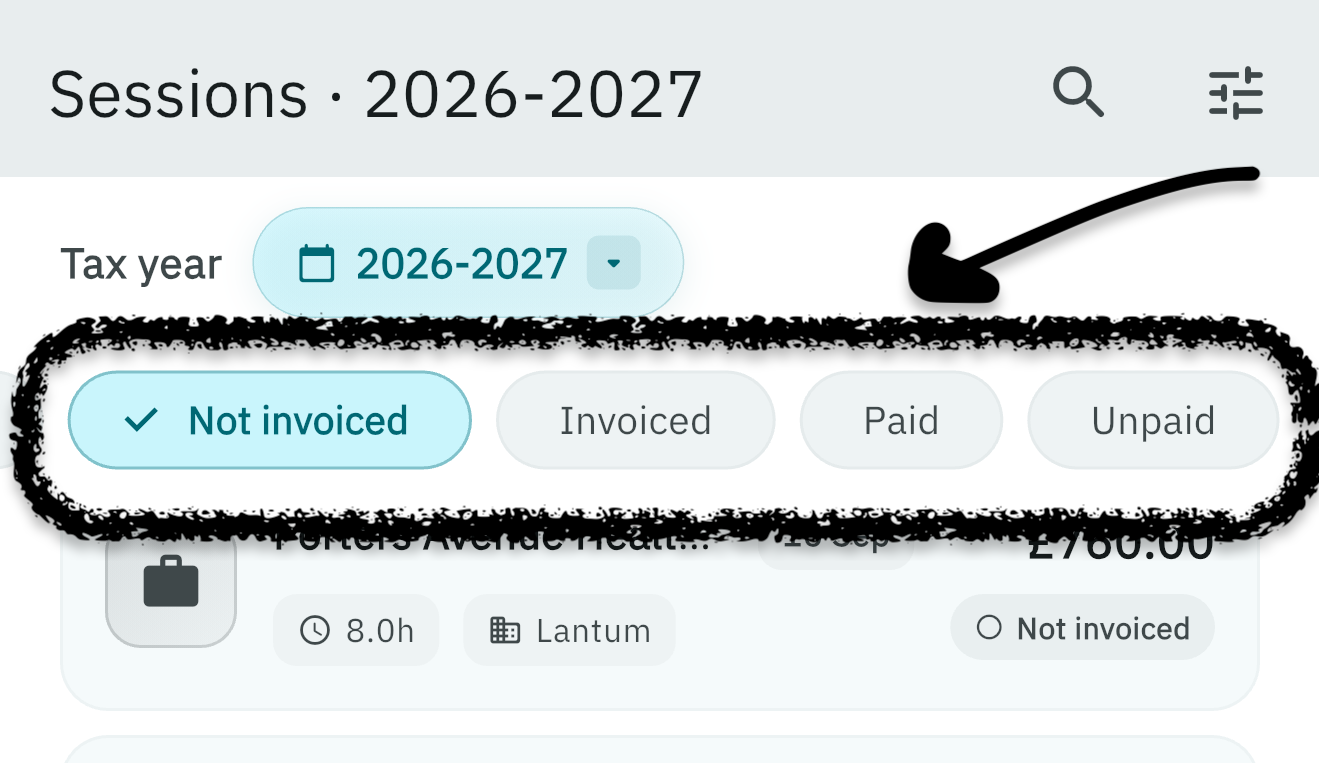
Quickly narrow the list to sessions that are:
- Not yet invoiced
- Awaiting payment
- Already paid
Batch actions
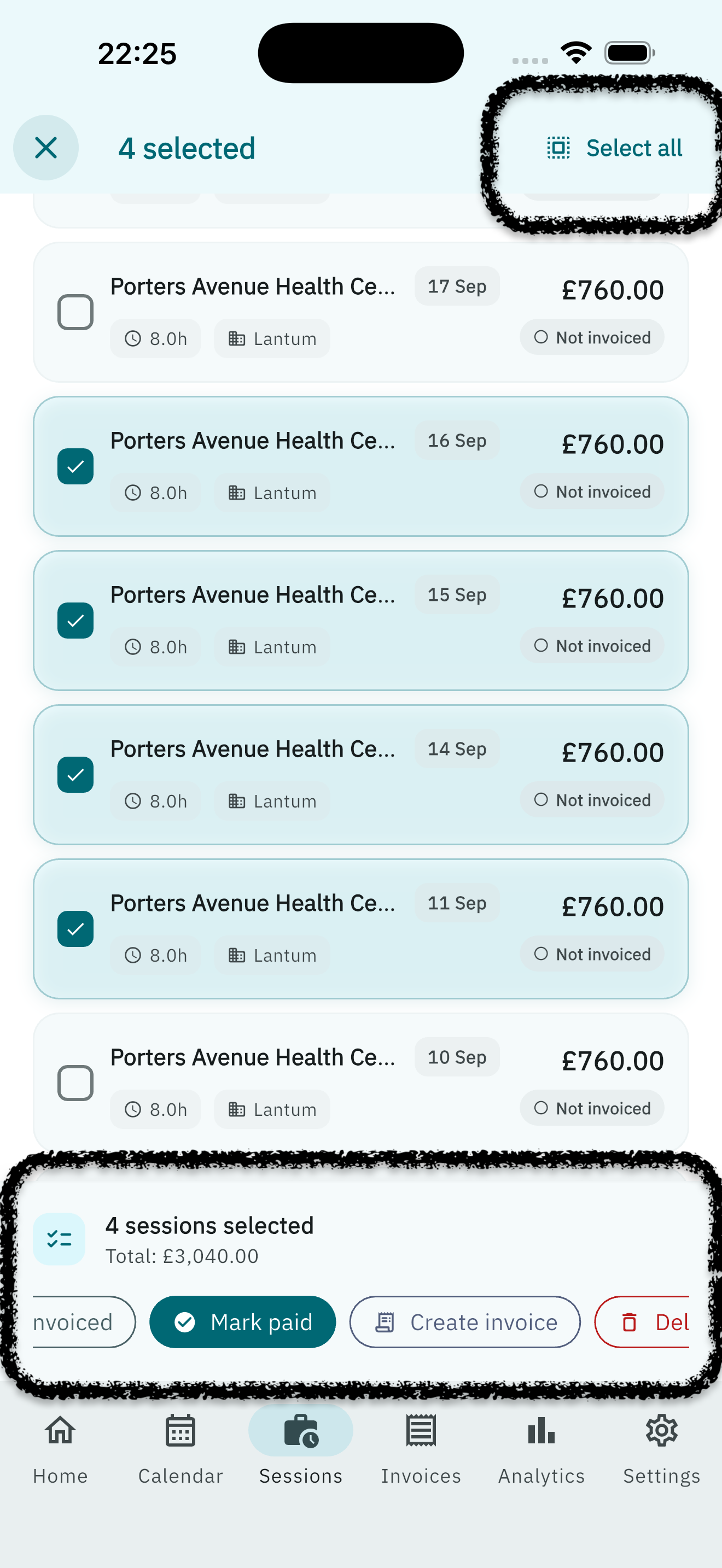
Long-press any session to enter selection mode, then mark several as invoiced or paid in one step. Use Select all in the header, then Mark paid, Create invoice, Mark invoiced, or Delete.
Shortcuts: long-press a session to start selecting. Swipe right to mark invoiced or paid (depends on the current status). Swipe left to delete, with a confirmation. Swipes turn off while you are selecting.
Log a session
Tap + or Add session to open the Log session screen. The app bar shows the chosen date and practice (or “no practice”). Editing an existing session uses the same form, without Repeat / multiple dates.
See each section below. Required fields are marked with * in the app.
When & where
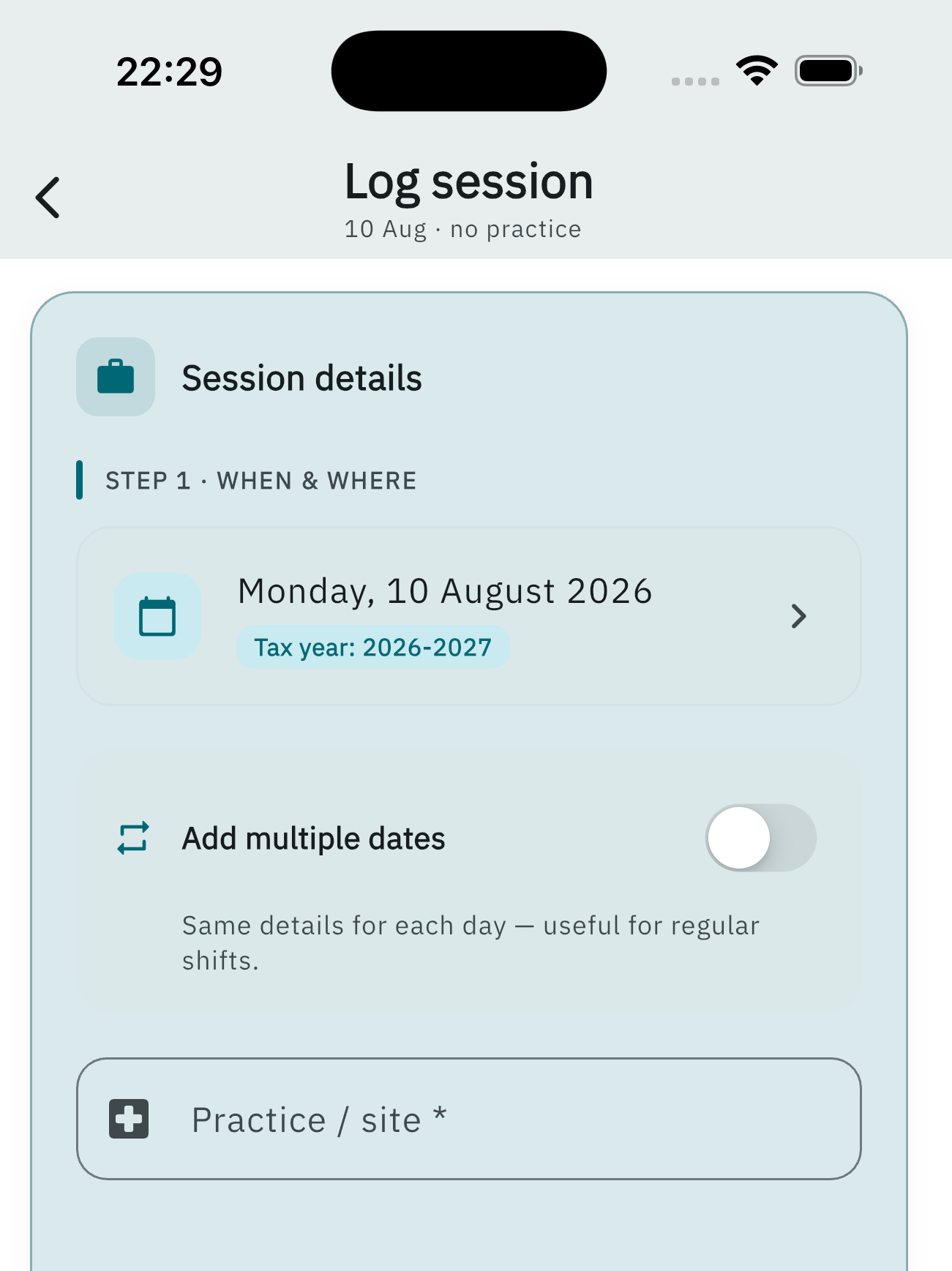
- Date — tap to pick the session day. LocumBook shows the matching UK tax year.
- Add multiple dates (new sessions only, not when editing) — turn on to reuse the same details across several days. Choose a pattern: once, every weekday, weekly on selected days, every 2 weeks, or monthly on the same date. Set Repeat until and, for weekly patterns, the weekday chips. Saving more than one date is a Pro feature; the bar then reads Save N sessions. There is an in-app cap on how many dates one save can create.
- Practice / site * — start typing to search NHS ODS or your saved practices. Address is read-only once a site is chosen. Site telephone and NHS email can be filled or inherited from a saved practice.
Timing & pay
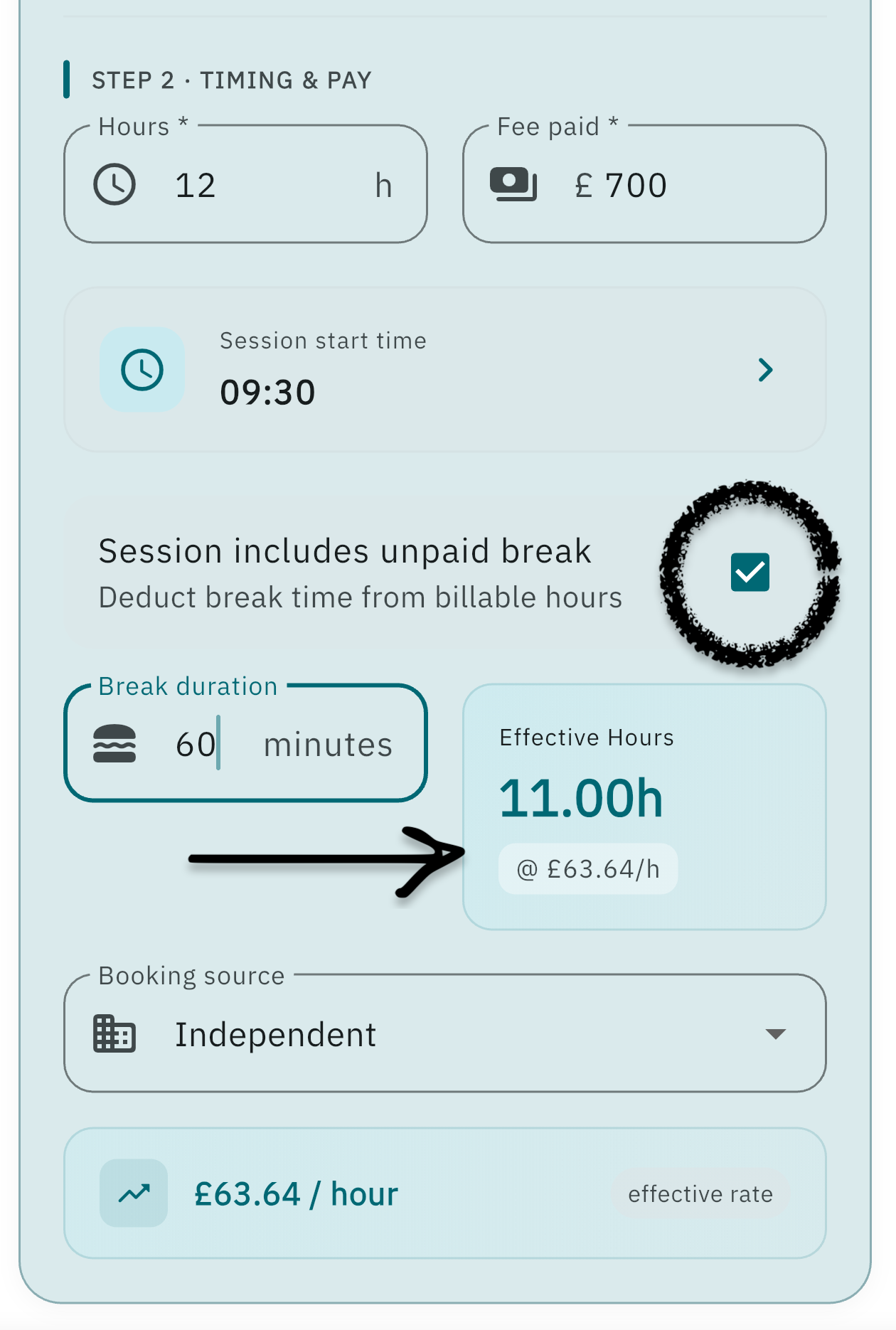
- Hours * and Fee paid * — both required.
- Session start time — optional; used for calendar placement and conflict checks.
- Session includes unpaid break — deducts the break duration from billable hours.
- Booking source — Lantum, LocumDeck, or another source you have used.
- Hourly rate preview appears once hours and fee are both set.
Invoice & payment
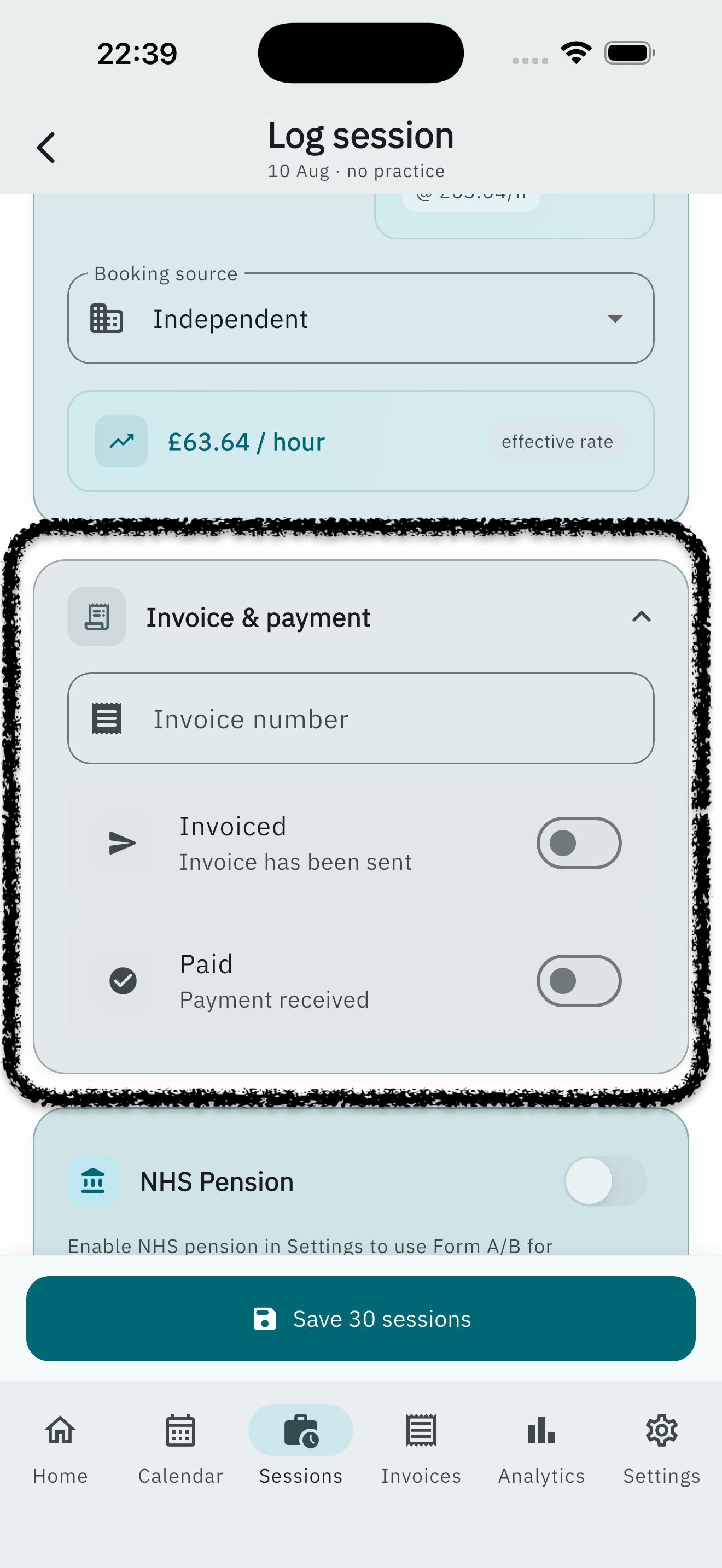
This card stays collapsed unless the session is already invoiced or paid.
- Invoice number
- Invoiced and Paid toggles. Marking paid asks for a payment date.
NHS pension
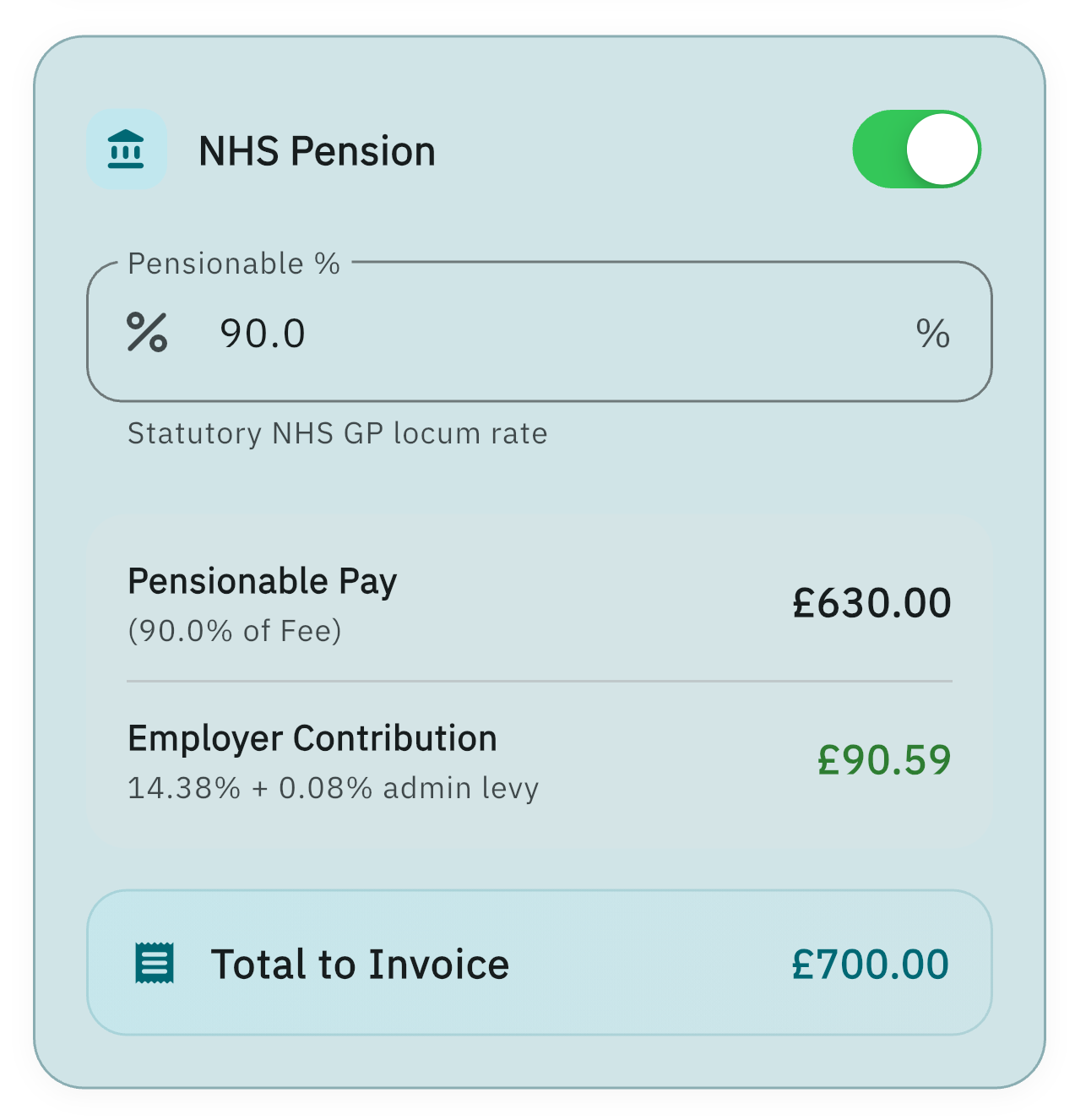
Shown when pension tracking is on in Settings.
- Toggle whether the session is pensionable.
- Pensionable % is read-only (statutory GP locum rate).
- Pensionable pay and Employer contribution (14.38% plus 0.08% admin levy) update from the fee.
Mileage & expenses
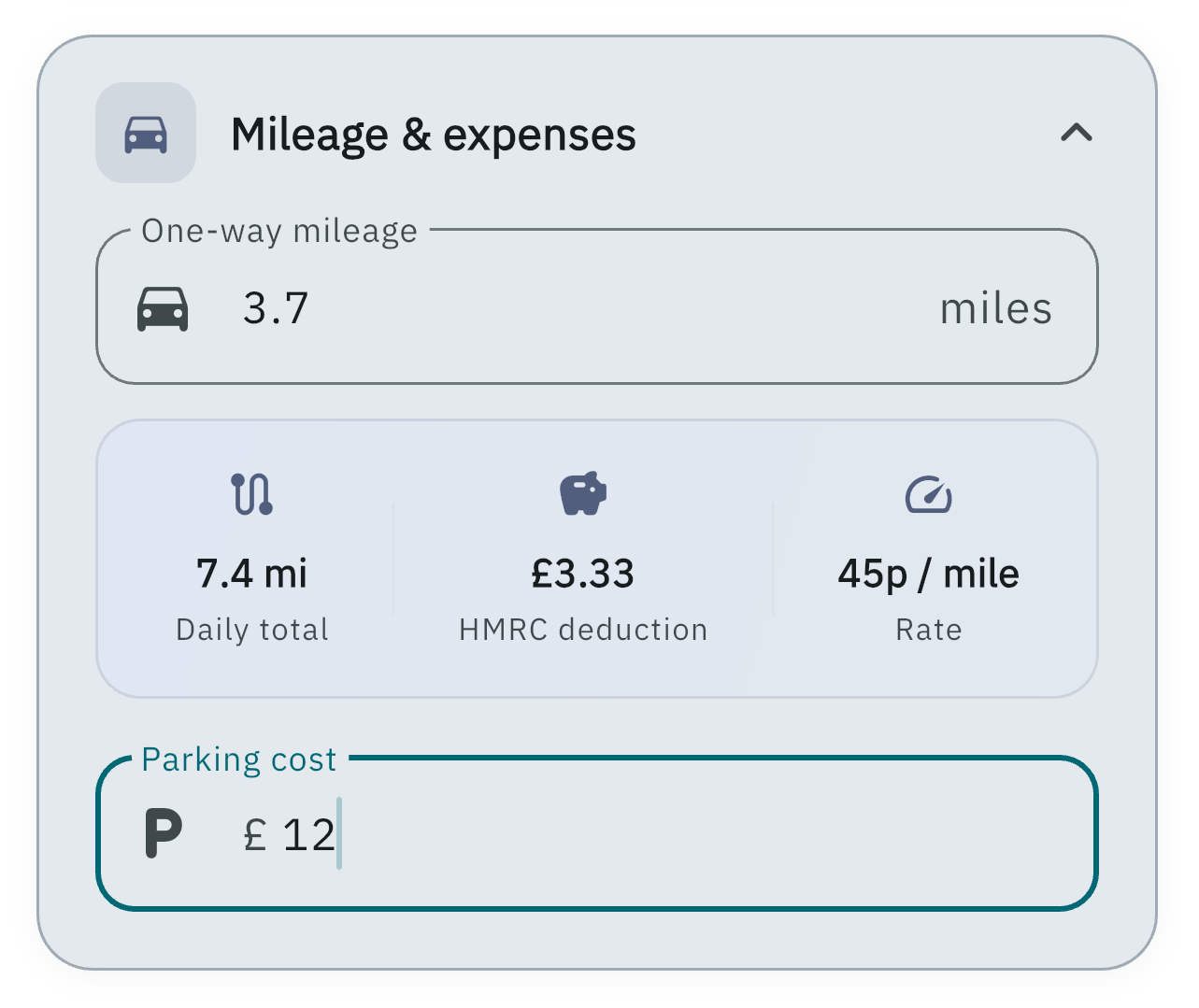
- One-way mileage — LocumBook doubles this for the round trip and shows the HMRC deduction.
- Parking cost — included in tax export summaries.
Save
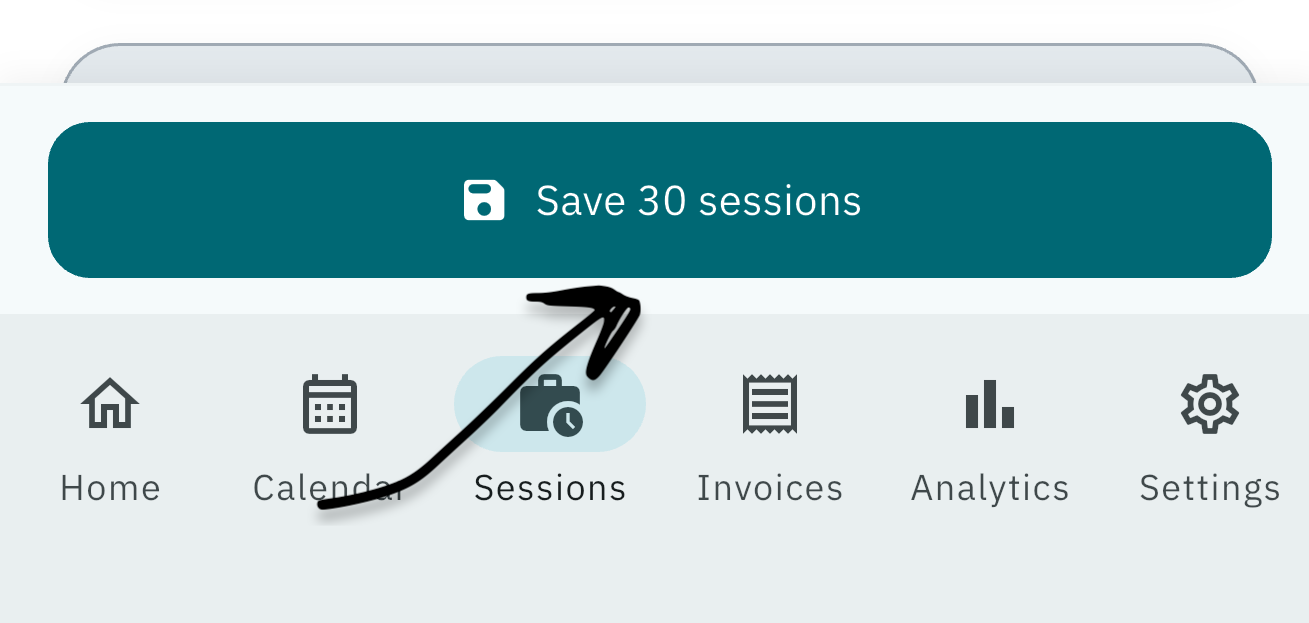
Save session on the bottom bar writes the shift. When multiple dates are selected it reads Save N sessions.
Multiple session logging (Pro)
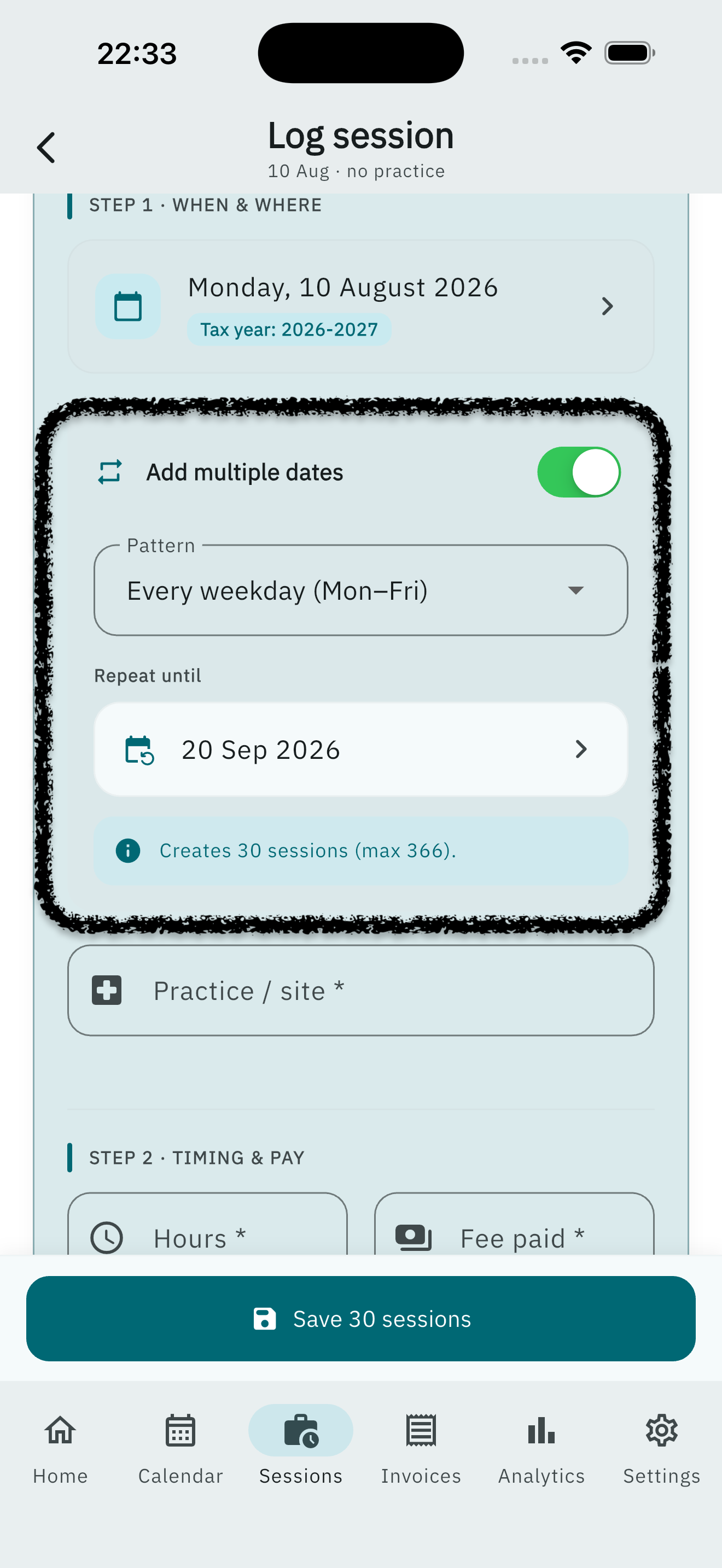
Use Add multiple dates on the Log session screen (see When & where above). Choose a pattern and Repeat until — the form shows how many sessions will be created. A Pro subscription is required to save more than one date at a time. The save button then reads Save N sessions.
Pro required: Multiple session logging and batch Form A generation from the sessions list.