


NHS pension
Pro featuresTrack pensionable pay and generate GP locum Form A and Form B for England, Wales, Scotland, and Northern Ireland.
NHS Pension Scheme (GP locums)
Form A, Form B, and SOLO are GP locum paperwork only. Hospital doctors, nurses, and pharmacists do not have an equivalent self-serve locum PDF — their NHS pension is usually deducted on PAYE if they are employed, or they use a personal pension. See our FAQ.
If you are a GP locum in the NHS Pension Scheme, LocumBook helps you track pensionable pay per session and generate the forms you need.
During onboarding, indicate whether you are in the NHS Pension Scheme. Full pension tracking requires Pro.
Pension tracking (Pro)
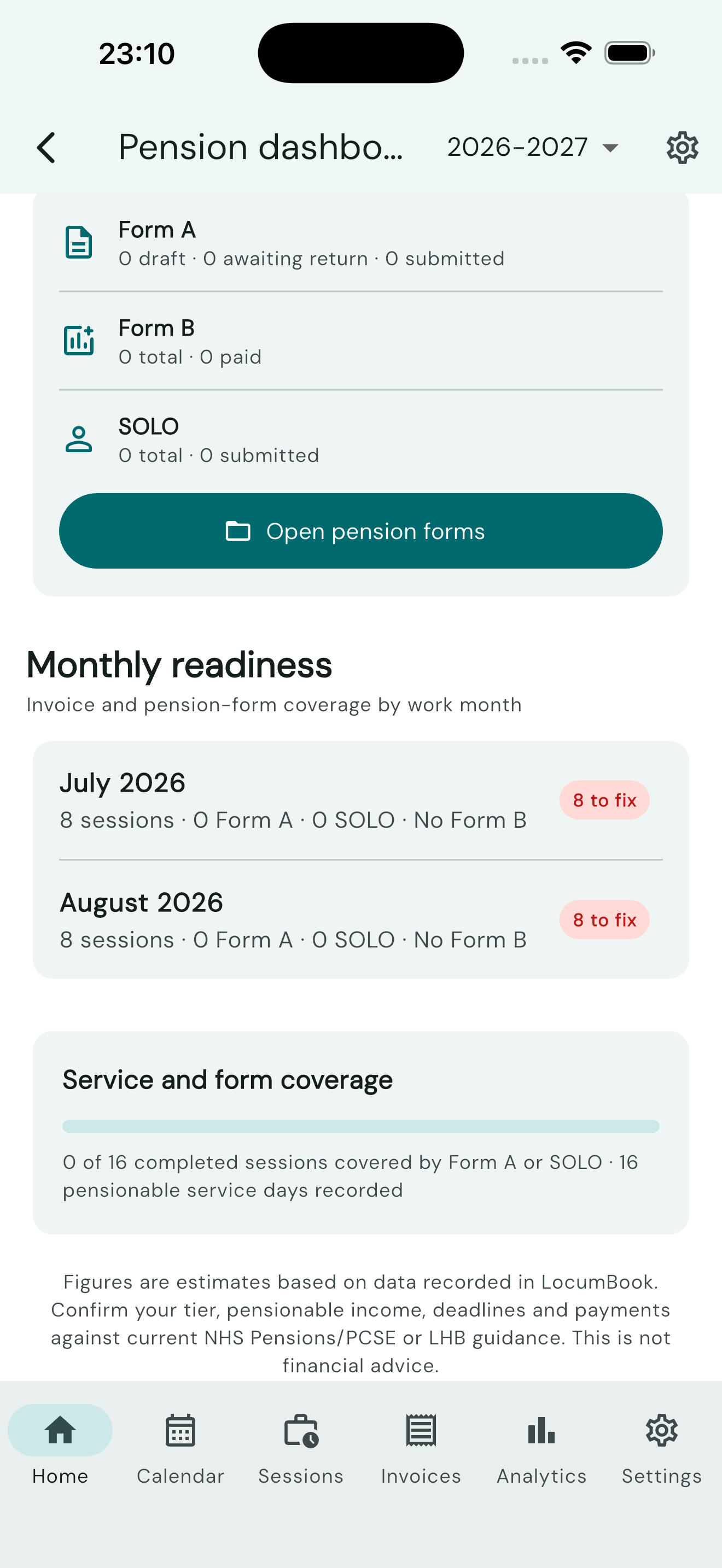
Track pensionable pay and contributions per session. View pension summaries alongside your session and invoice data.
Pension dashboard (Pro)
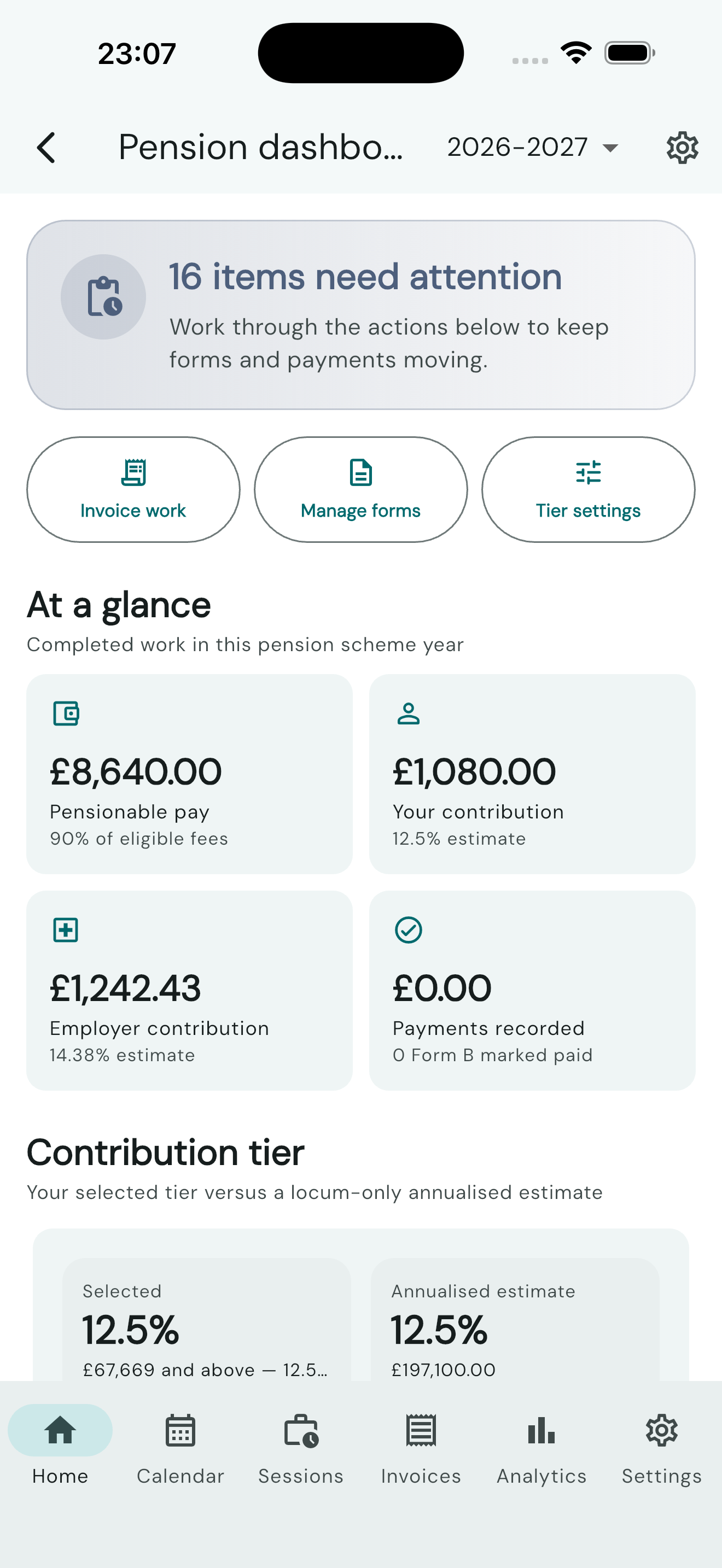
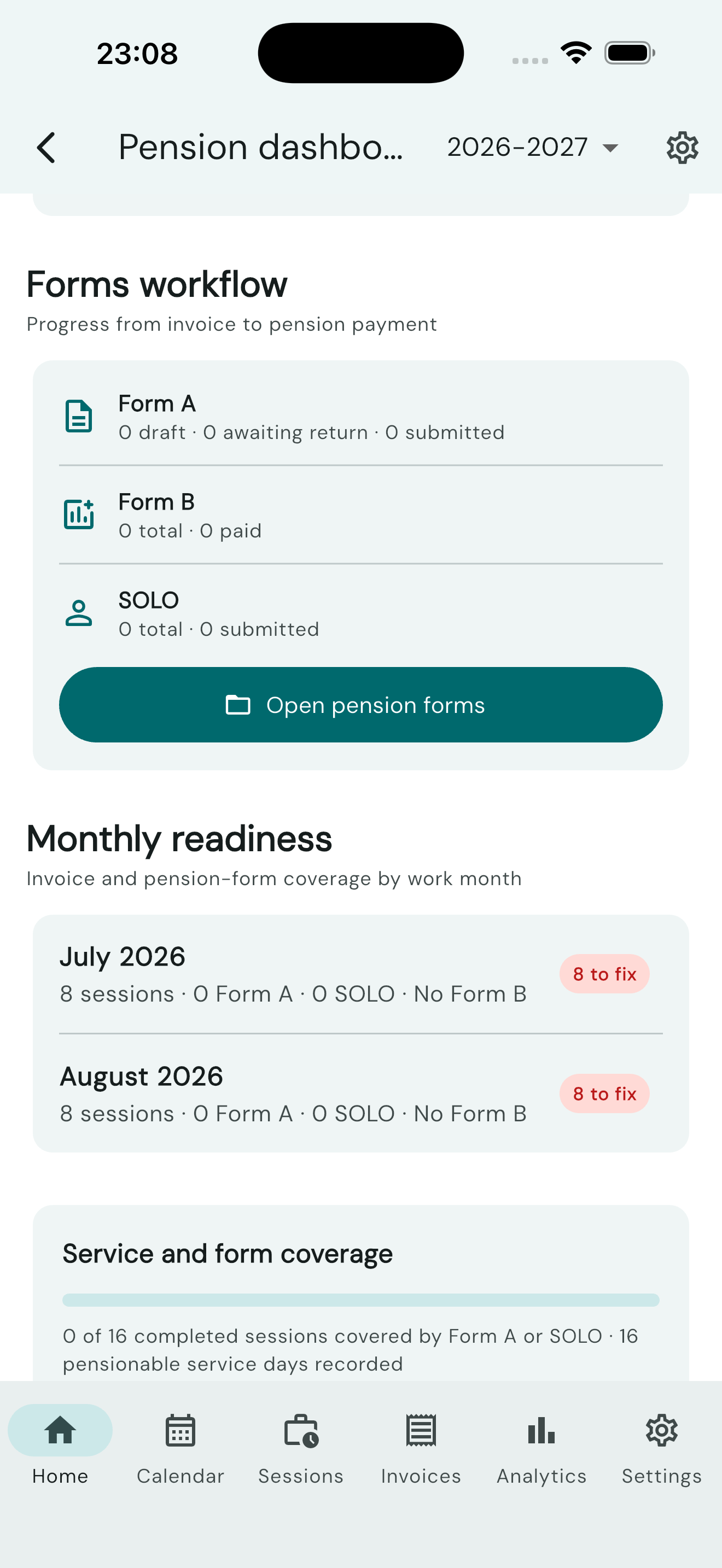
Open Pension dashboard from the Home screen, Analytics pension card, Settings → NHS Pension, or the Pension forms screen. It is intentionally not part of the bottom navigation.
The dashboard covers the selected NHS pension scheme year (1 April to 31 March) and brings together:
- completed pensionable sessions and pensionable pay;
- estimated employee contributions and the scheme employer rate for your country (14.38% in England/Wales, 22.5% in Scotland, 23.2% in Northern Ireland);
- your selected contribution tier and a locum-only annualised tier estimate;
- Form A, Form B and SOLO status, deadlines and payment progress;
- pensionable sessions that have not been invoiced;
- invoiced sessions that are not covered by Form A or SOLO;
- returned Form As that are ready to include in Form B;
- monthly invoice and pension-form readiness; and
- pensionable service days and session coverage.
The annualised estimate uses recorded locum pensionable pay divided by recorded pensionable service days, multiplied by 365. Your final tier must include all relevant practitioner posts and opted-in service periods. Check it with the official NHS annualisation calculator before acting on a tier warning.
Deadlines: freelance GP locum work generally must be pensioned within 10 weeks of the work being completed. Form B is due by the 7th of the following month in England and Wales, the 5th in Scotland (NSS), and the 6th in Northern Ireland (HSC). In Scotland and Northern Ireland you send employee contributions only — the Health Board / HSC pays the employer share. Always check current PCSE, NSS or HSC guidance. New NI locums must complete SS14 before submitting A and B forms.
Form A generation (Pro)
Generate invoice PDFs plus separate NHS pension Form A documents:
- Select sessions from the Sessions or Invoices screen.
- Choose Generate Form A (Pro).
- Review and export the PDF.
Form A monthly bundle (Pro)
On Pension Forms, the Form A section has an Export bundle button. It opens a sheet where you can:
- Pick a cover month — only months that already have Form As in the current tax year.
- Choose Merged PDF (one submission pack; each Form A keeps its own page set) or ZIP (one PDF per Form A, in practice-name order).
- Tap Export and share to send the file through the system share sheet.
Export bundle uses the same Pro check as Form A and Form B generation.
Countries
Set Invoice country in Settings → NHS Pension to England, Wales, Scotland, or Northern Ireland. LocumBook uses the right rates, deadlines, identity fields, and PDFs for that jurisdiction.
- England — PCSE (NHSBSA-style forms). You collect the 14.38% employer contribution from the practice and pay employee + employer to PCSE. Form B is due on the 7th.
- Wales — Local Health Board. Same collection and Form B deadline as England.
- Scotland — National Services Scotland Practitioner Services (NSS-style Form A, Form B, and SOLO). Email forms to
nss.locumcontributions@nhs.scot. The Health Board pays the employer contribution, so Form B is employee only and due on the 5th. Scotland asks for your National Insurance number. Your scheme membership number is stored as entered — LocumBook does not derive a UPR from your GMC number. - Northern Ireland — HSC Pension Service (HSC copy). Email forms to
gplocums@hscni.net. HSC pays the employer contribution, so Form B is employee only and due on the 6th. Create SOLO is hidden, with an explainer that OOH is deducted at source. OOH work is not recorded on Form A, Form B, or SOLO.
SS14 joining forms for new NI locums remain a link only — LocumBook does not generate SS14 PDFs.
Session, dashboard, and analytics copy show board-paid employer where that applies (Scotland and Northern Ireland). England’s 14.38% rate is unchanged.
Form B
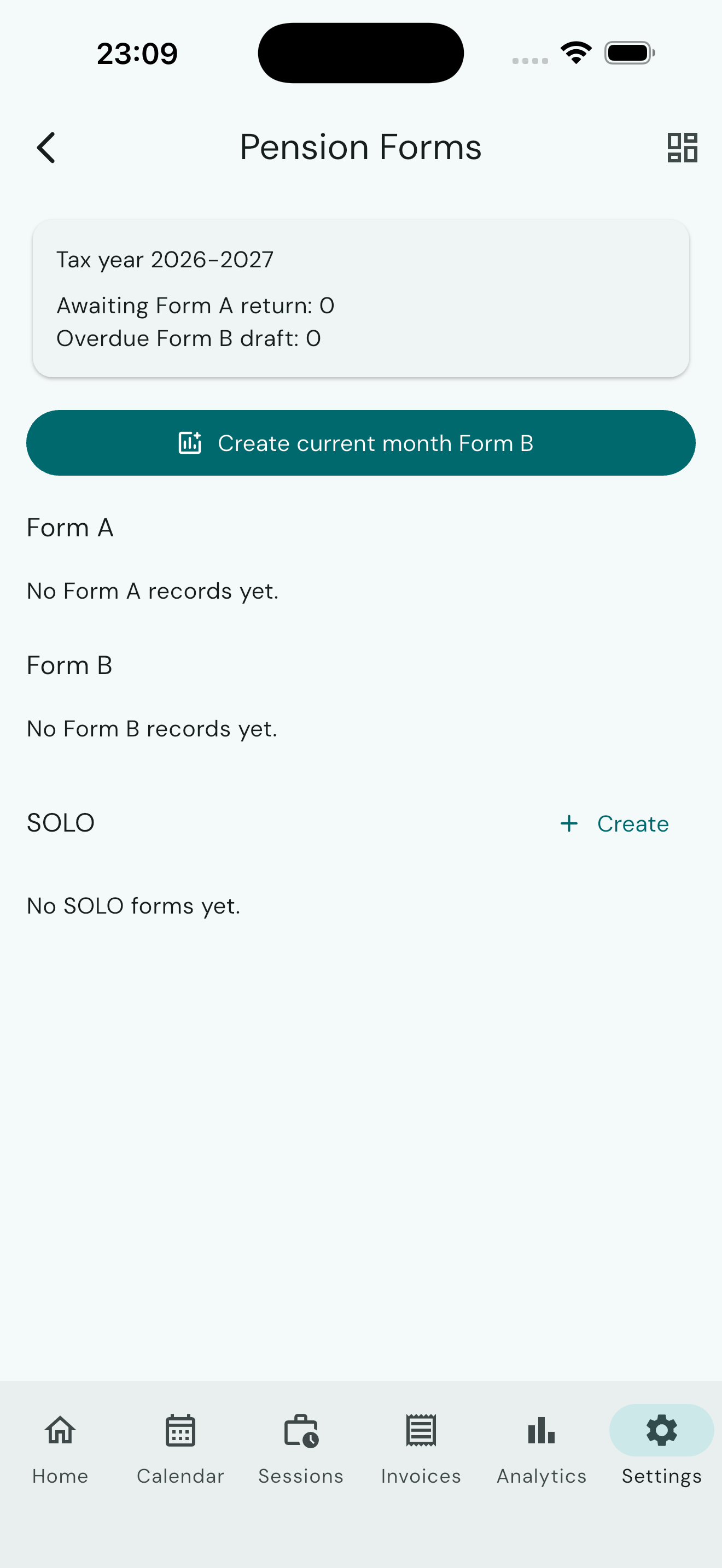
Generate Form B from the Pension forms section from your recorded pension data.
- England and Wales: Form B includes employee + employer amounts you pay to PCSE / LHB (due on the 7th).
- Scotland and Northern Ireland: Form B is employee contributions only (Scotland 5th, NI 6th). The Health Board / HSC pays the employer share.
Pro required: NHS pension tracking, Form A (including monthly bundle export), and Form B generation.