


Invoices
Pro featuresTrack invoice status, filter by payment state, and create PDF invoices.
Outstanding and paid
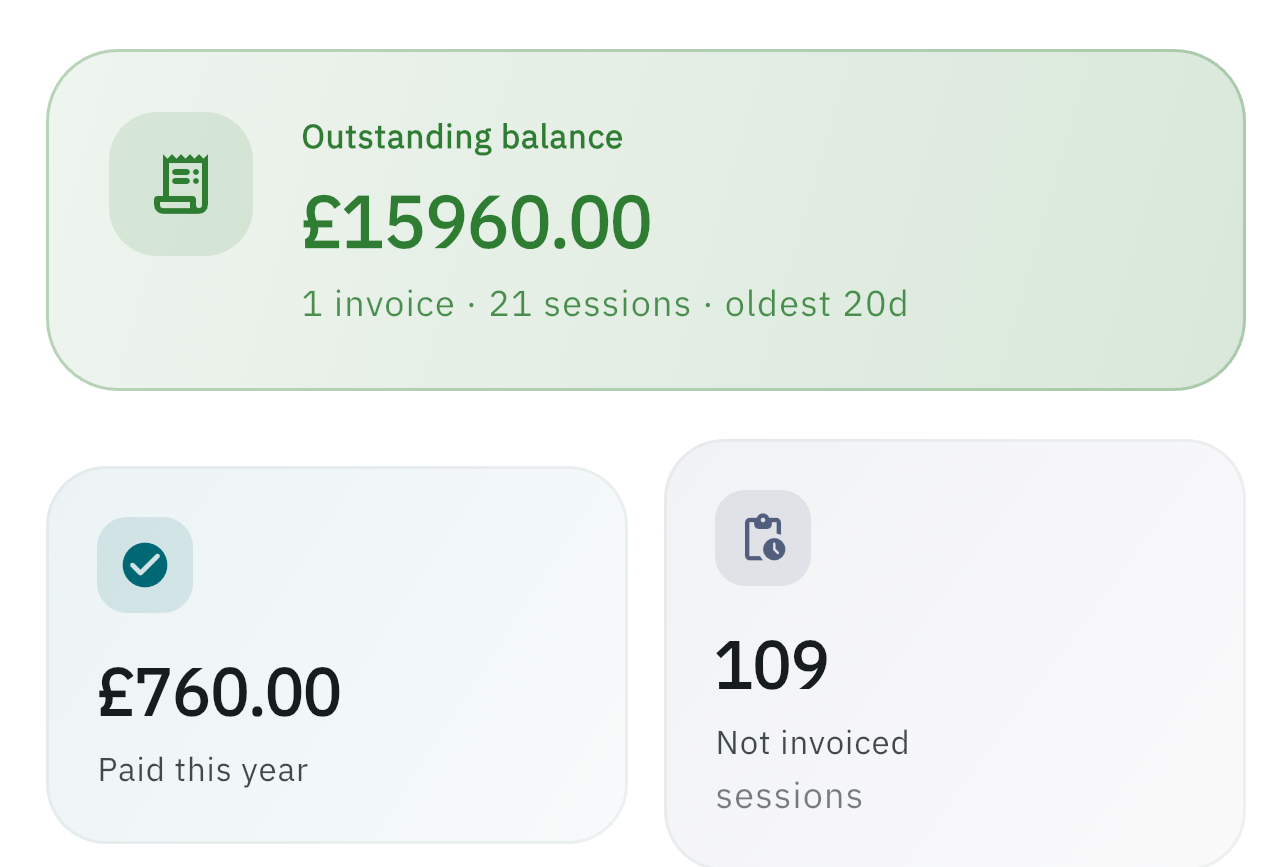
A running total of what is owed to you and what you have already received this tax year.
Filter invoices
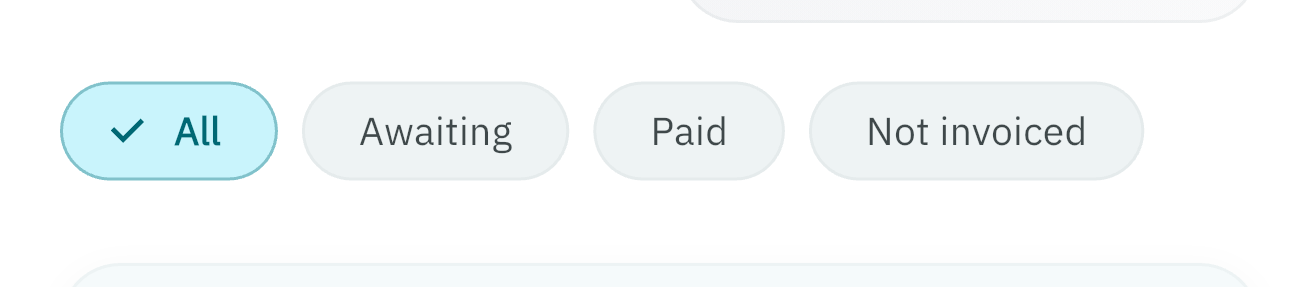
The chips are All, Open, Closed, and Not invoiced.
The Monthly invoices button (Pro) is the main way to create a PDF. You can also long-press sessions on the Sessions tab and use batch Create invoice. Either way, one practice per PDF.
Create an invoice (Pro)
Create invoices by calendar month and practice, then preview and email. See the Features comparison for what is included.
Monthly invoices — choose a month and practice
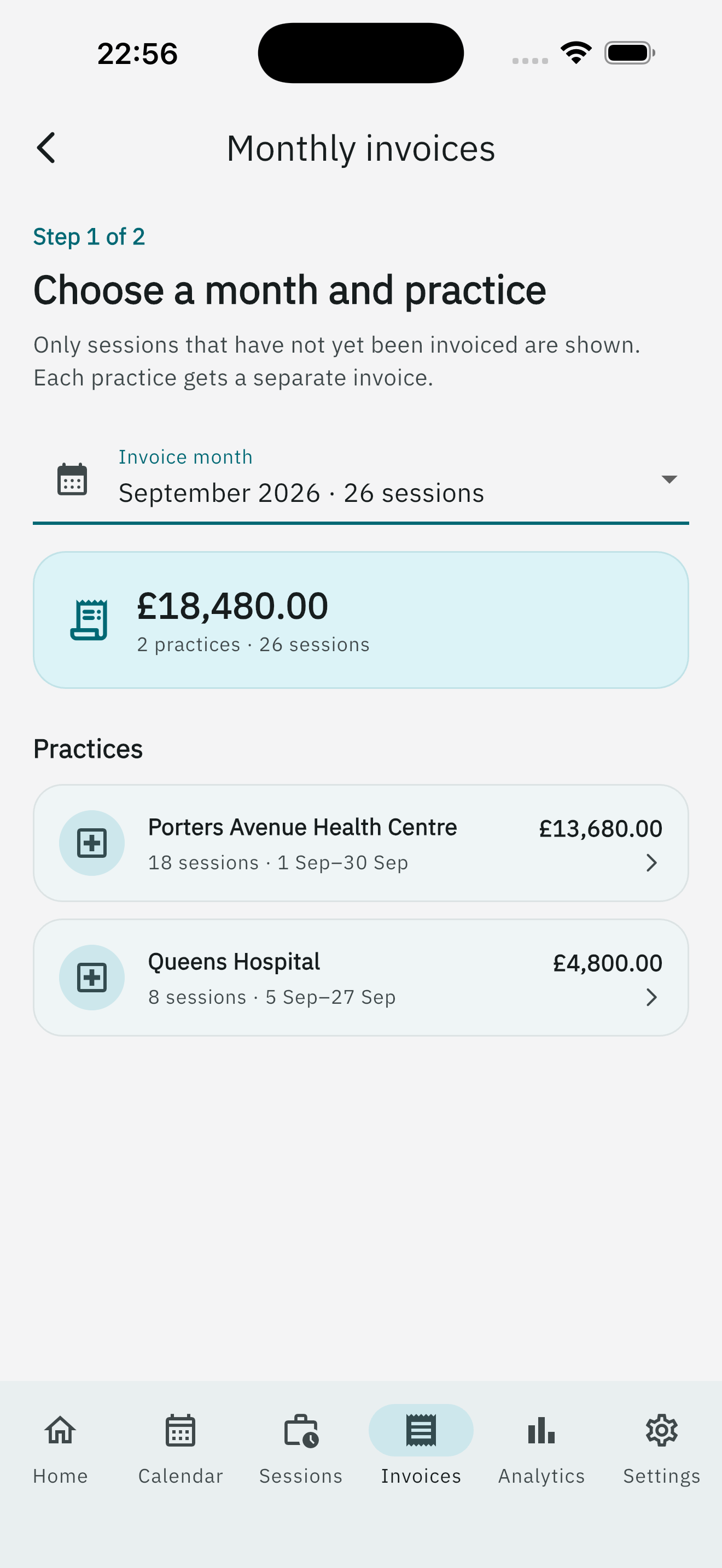
- Open the Invoices tab and tap Monthly invoices.
- Choose Invoice month. Only sessions that are not yet invoiced appear.
- Review the month summary, then tap a practice card. Each practice gets a separate invoice.
Review sessions
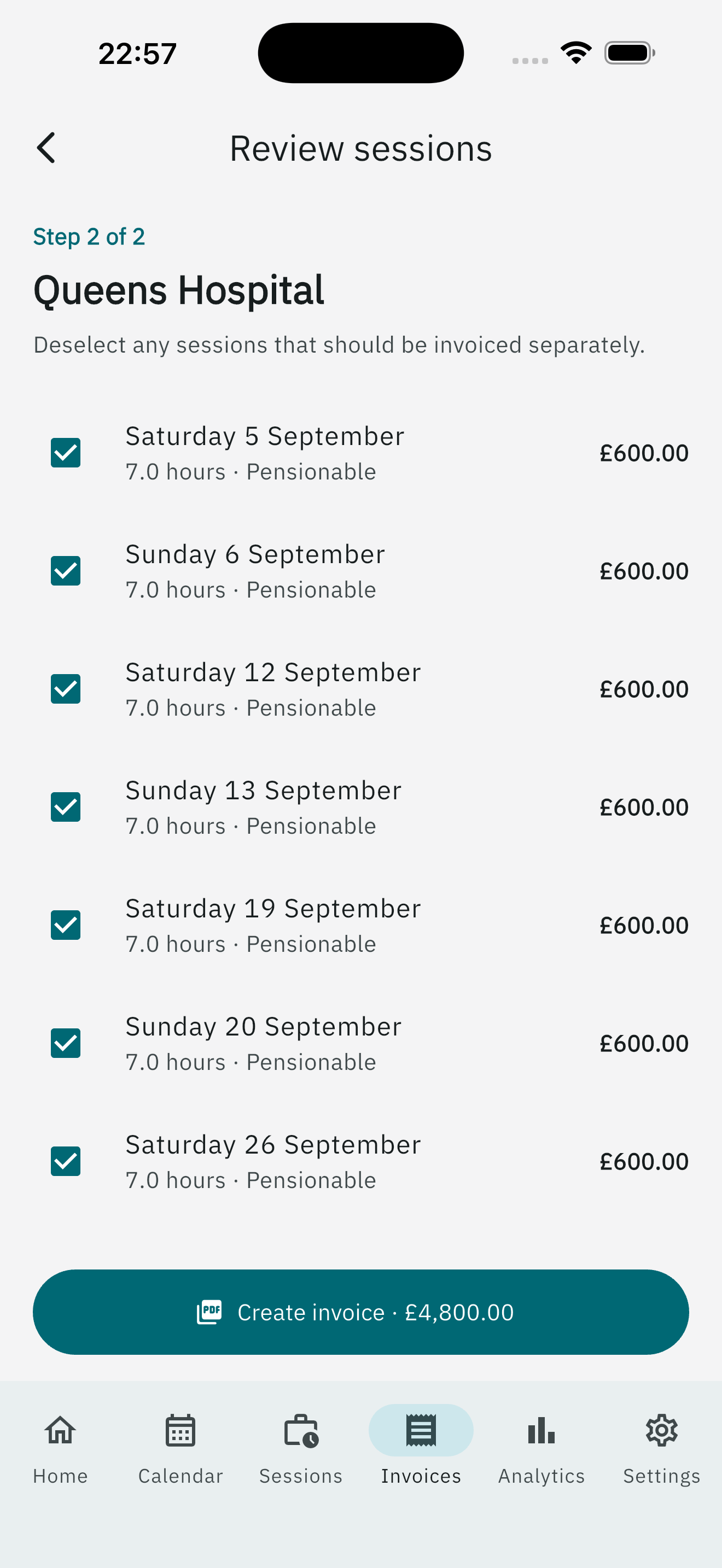
Deselect any sessions that should be billed separately. Create invoice · £… continues to the details screen.
Create invoice details
On Create invoice:
- Invoice reference — auto-suggested; edit if you need a custom number.
- Payee name — defaults from Settings → Invoice.
- Issue date
- Template — this invoice only; the default comes from settings.
- The session list and total. A pension summary appears if tracking is on and any selected sessions are pensionable.
Tap Generate invoice PDF, or Generate invoice & Form A/B PDFs when pension forms apply. Pro is required.
After you generate
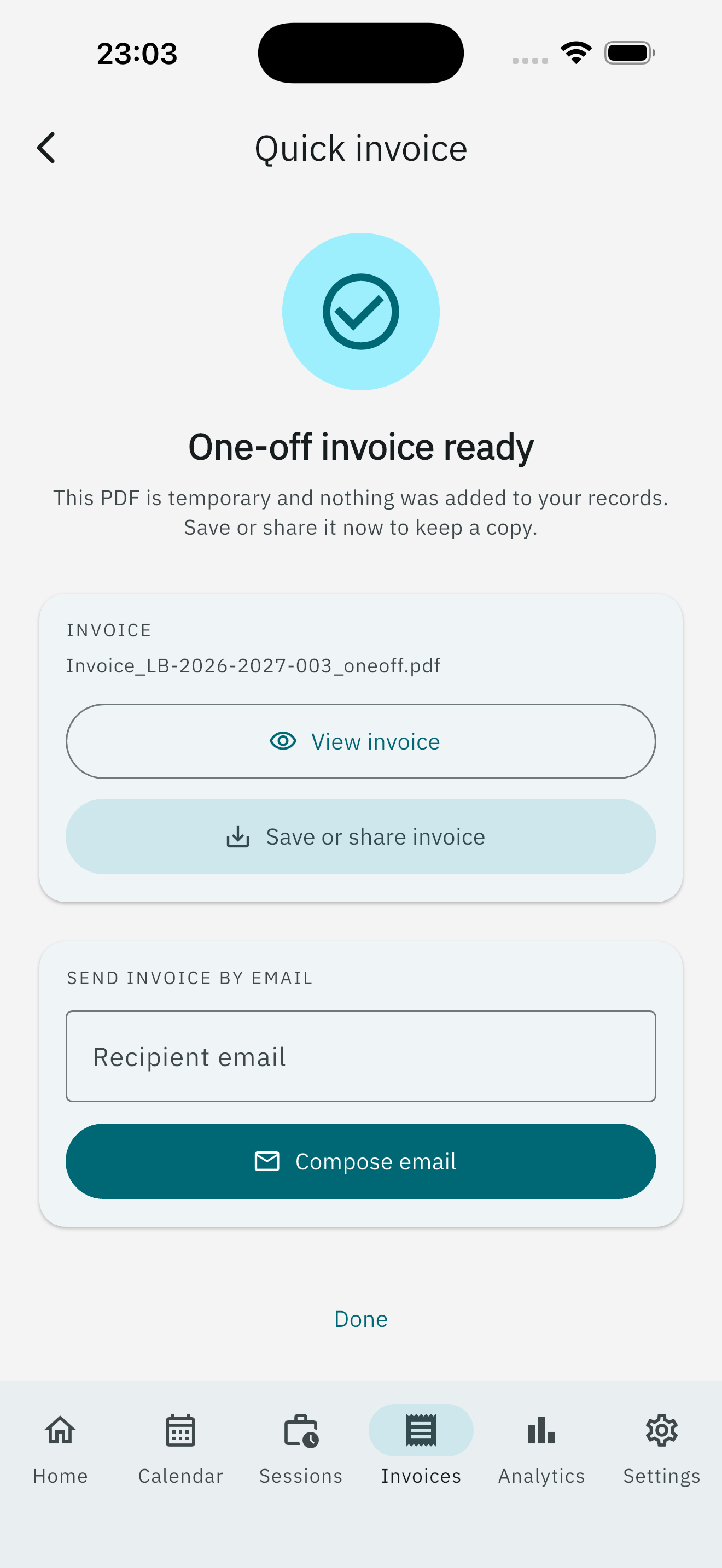
Preview the PDF, share or save it, or open an email draft. To defaults to the practice NHS email when known; From comes from your invoice letterhead.
You can still create an invoice from the Sessions tab by selecting sessions and using the batch Create invoice action. Sessions on one invoice must be from a single practice.
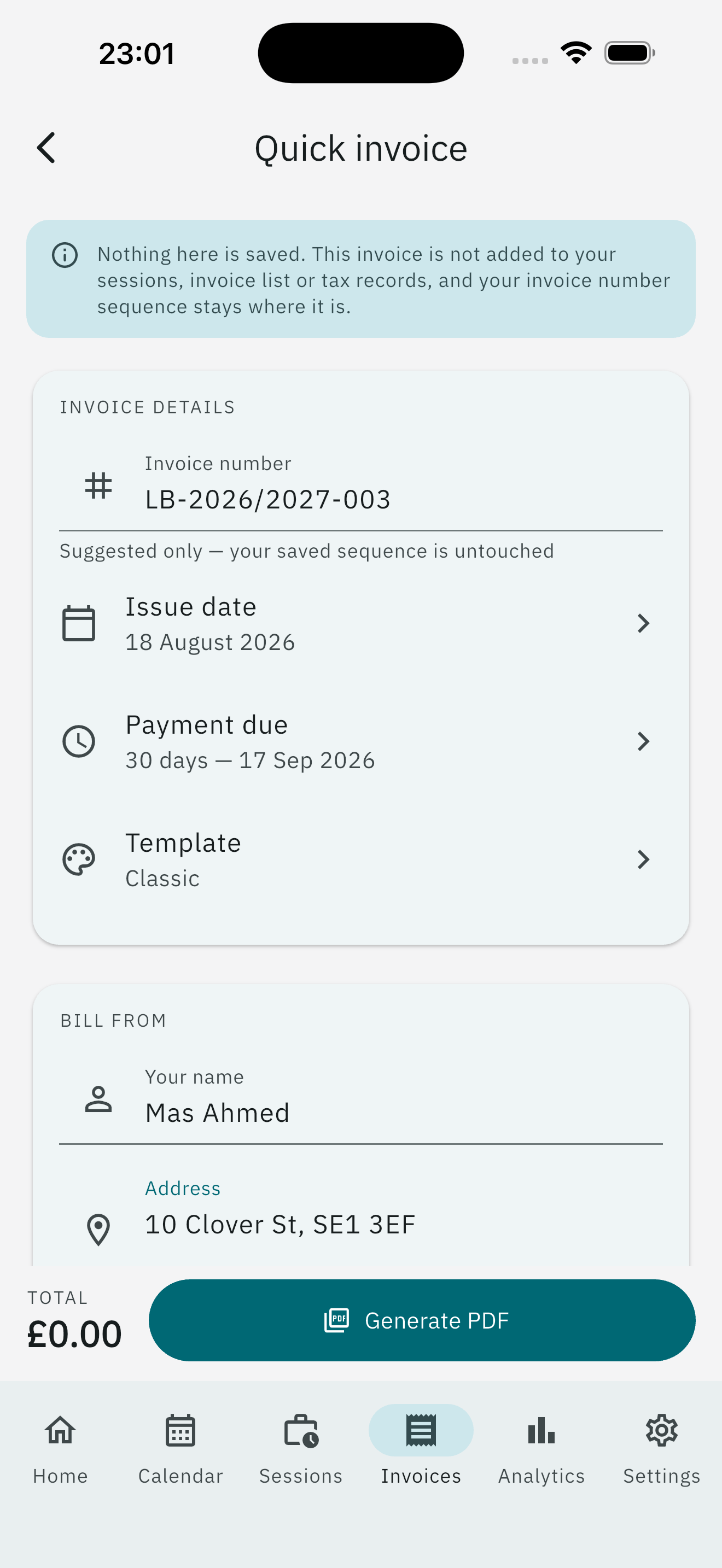
Quick invoice (Pro)
Quick invoice is for a one-off PDF. You can type line items, or tap Add from sessions and pick unbilled sessions. Filter by workplace and date, then select one or more. Each session becomes an editable line: date, session type, hours, the workplace rate when that is what the session was billed at, and the logged fee. You can still add your own items alongside them.
When you generate, if any lines came from sessions, LocumBook asks whether to mark those sessions invoiced.
- Mark as invoiced links them the same way a monthly invoice does. They leave the unbilled list. Cancelling that invoice, or crediting and reissuing it, updates those sessions. An unchanged invoice number is taken from your sequence.
- Leave unbilled keeps the PDF temporary. Nothing is written to your sessions or invoice list, and your invoice number sequence stays where it is.
Payment chasing (Pro)
Enable automated reminders for unpaid invoices in Settings → Notifications.
Pro required: PDF invoice generation, custom invoice templates, and payment chasing reminders.