


Settings
Notifications, workplaces, session types and pay, booking sources, app lock, and appearance.
Notifications
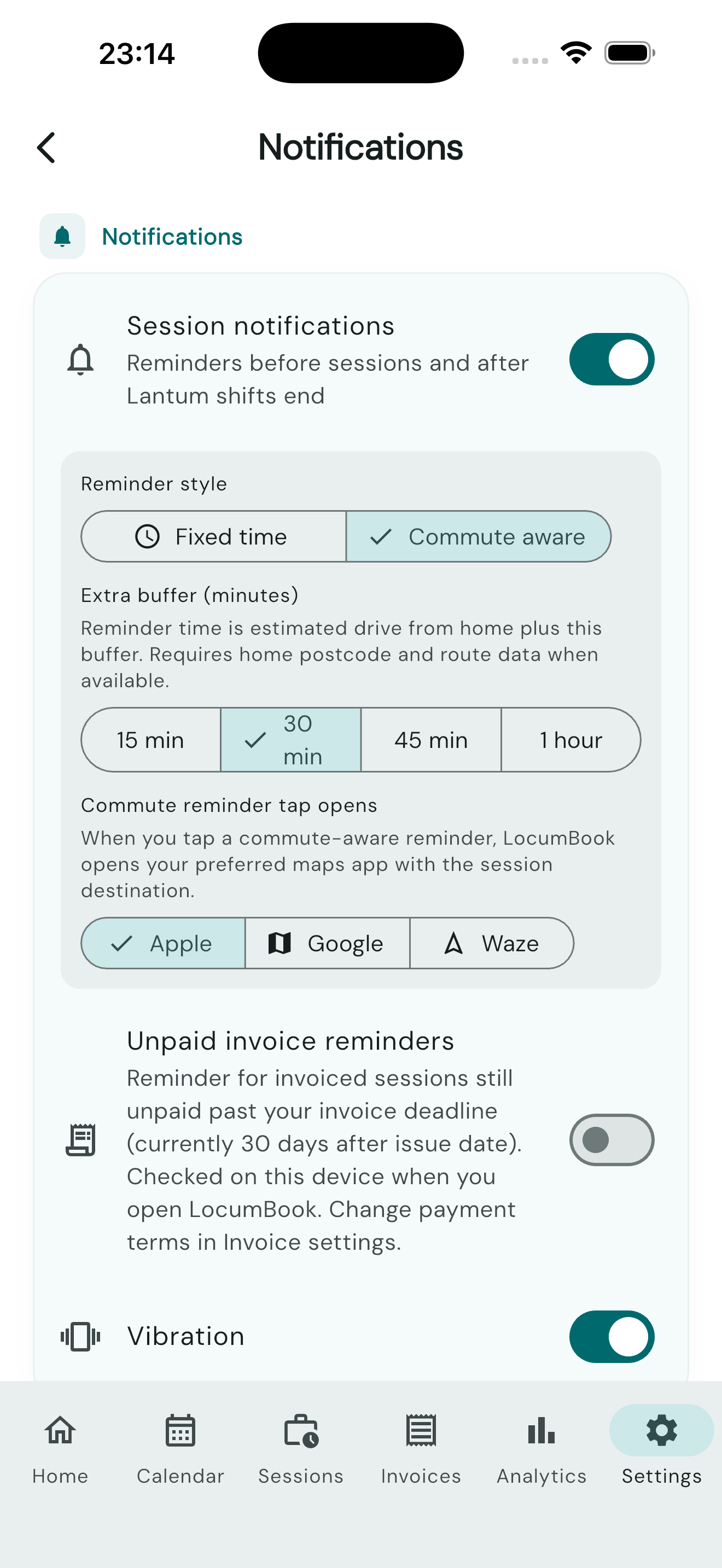
Configure session reminders, document expiry alerts, and unpaid invoice alerts.
- Payment chasing reminders for overdue invoices require Pro — enable them in Settings → Notifications.
- Document expiry reminders (Pro, Document vault) is a master toggle independent of session reminders. If it is off, per-document notify is locked. Turning off session reminders does not cancel document alarms.
App lock
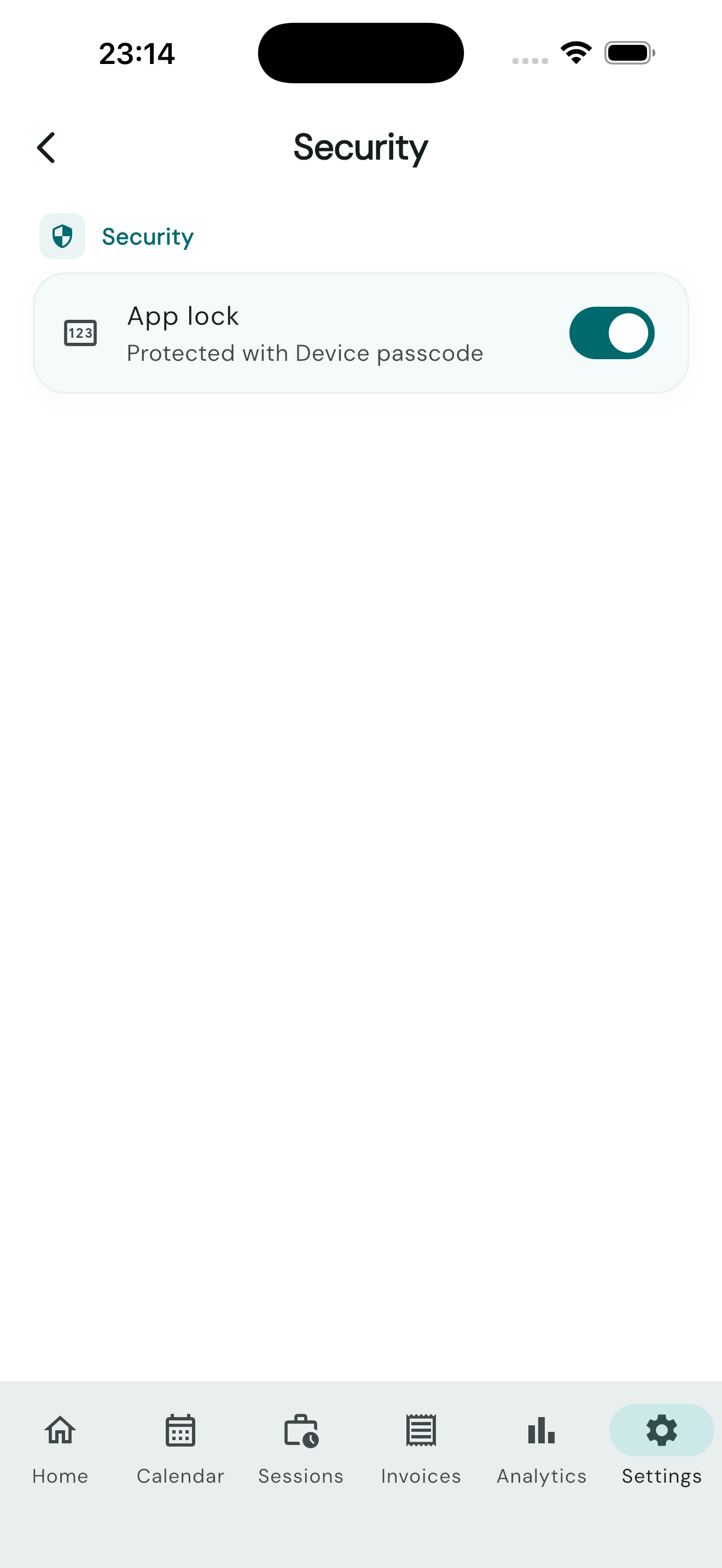
Protect your financial data with biometric app lock (Face ID, Touch ID, or device PIN). Enable in Settings → Security. The tile is App lock.
Home screen widgets
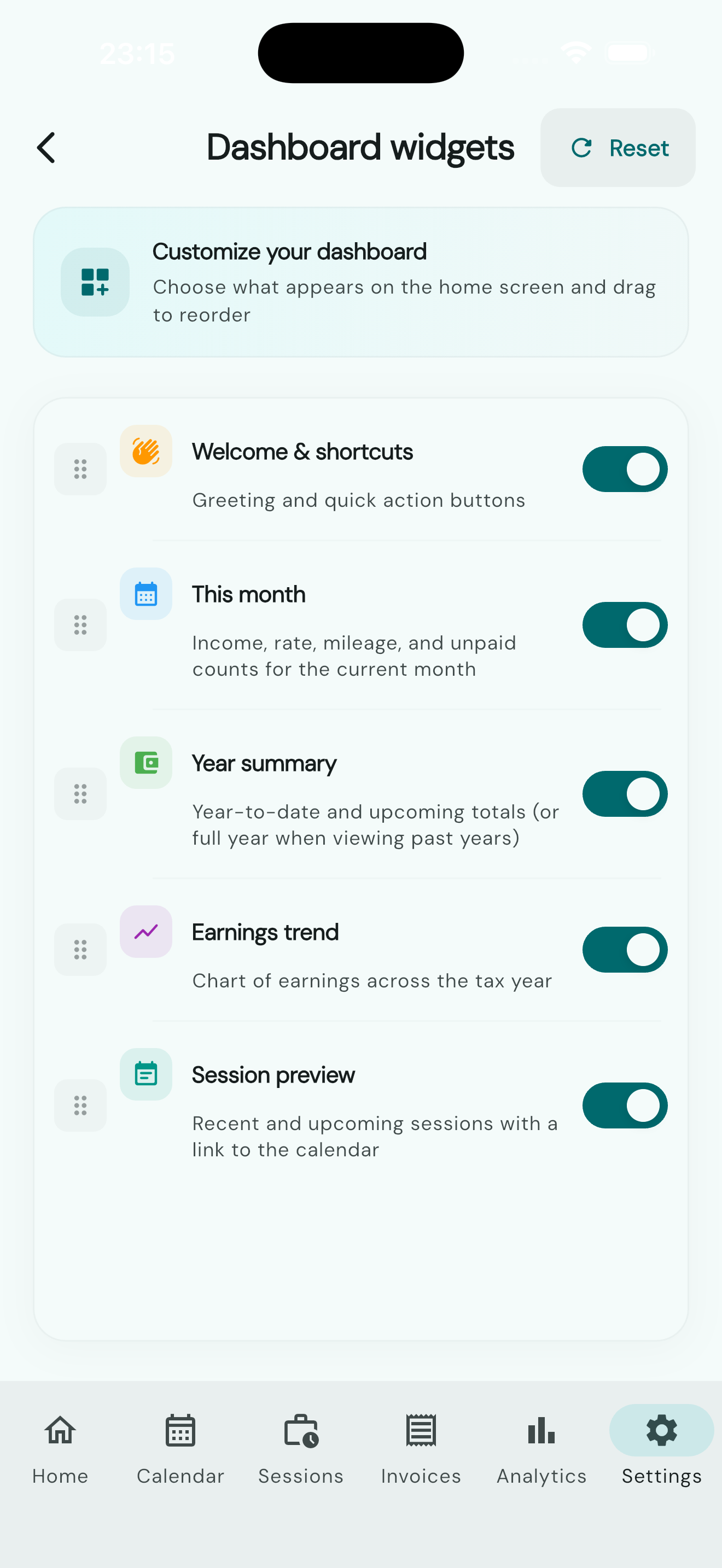
Open Settings → Customisation → Home screen widgets. The screen title is Dashboard widgets. Show, hide, and reorder the dashboard sections:
- Welcome & shortcuts
- This month
- Tax timeline
- Year summary
- Earnings trend
- Session preview
Reset restores the default layout. This screen is not shown on the web app.
Customisation
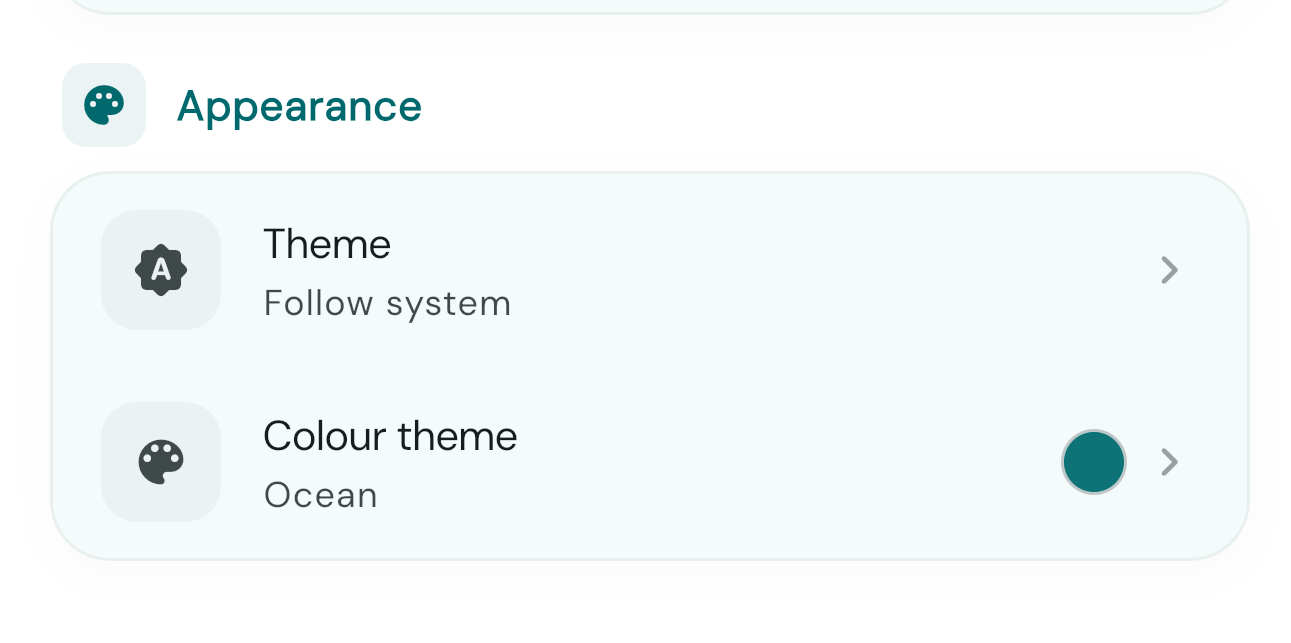
Settings → Customisation opens two groups. Home screen widgets (above) shows, hides, and reorders dashboard sections. Appearance is what the customisation screenshot shows:
- Theme — Light, Dark, or Follow system.
- Colour theme — Classic is free. Sunset, Midnight, Elegant, Ocean, and Sand need Pro.
Tax year is chosen on the dashboard, Sessions, and Invoices. It is not a setting on this screen.
Workplaces
Open Settings → Data management → Workplaces. The tile subtitle is Pay rate, address, phone and email.
- Add workplace — search NHS ODS or enter the details yourself.
- Each workplace can have branch sites. Invoices still go to the practice.
- Bank holidays, observances, and leave stay on the calendar and are not listed here.
- Delete workplace clears the pay rate, address, phone, email, and branches. Sessions you already logged and invoices you already issued stay as they are.
A workplace hourly rate is the first step of the rate cascade when you log a session. A branch rate is used when that branch is selected.
Session types & pay
Open Settings → Data management → Session types & pay.
- Default hourly rate — £/h fallback when a workplace and session type have no rate. On the log form this source is labelled Global default.
- Built-in types — Surgery session, Home visit, Telephone / triage, Admin / meeting, Out of hours, Duty / on-call, Care home, Extended hours, and Other. Each can have a Default hourly rate (£/h) and Default hours. Built-in names stay; you can edit the rate and hours.
- Add session type — a custom type with a default rate and hours. Custom types can be deleted. Built-in types cannot.
Rate resolution on the log session form: workplace (or branch) default, then session type default, then Global default, then Last used rate. After you save a session, the hourly rate is remembered for that workplace and session type.
Booking sources
Open Settings → Data management → Booking sources.
- Default source — the source pre-selected when you log a session. The dialog title is Default booking source.
- Built-in sources include Independent, Lantum, LocumDeck, Locate a Locum, and others. Built-in rows are labelled Built-in and cannot be deleted.
- Add source creates a custom booking source. Custom rows are labelled Custom source and can be removed.
Custom invoice templates (Pro)
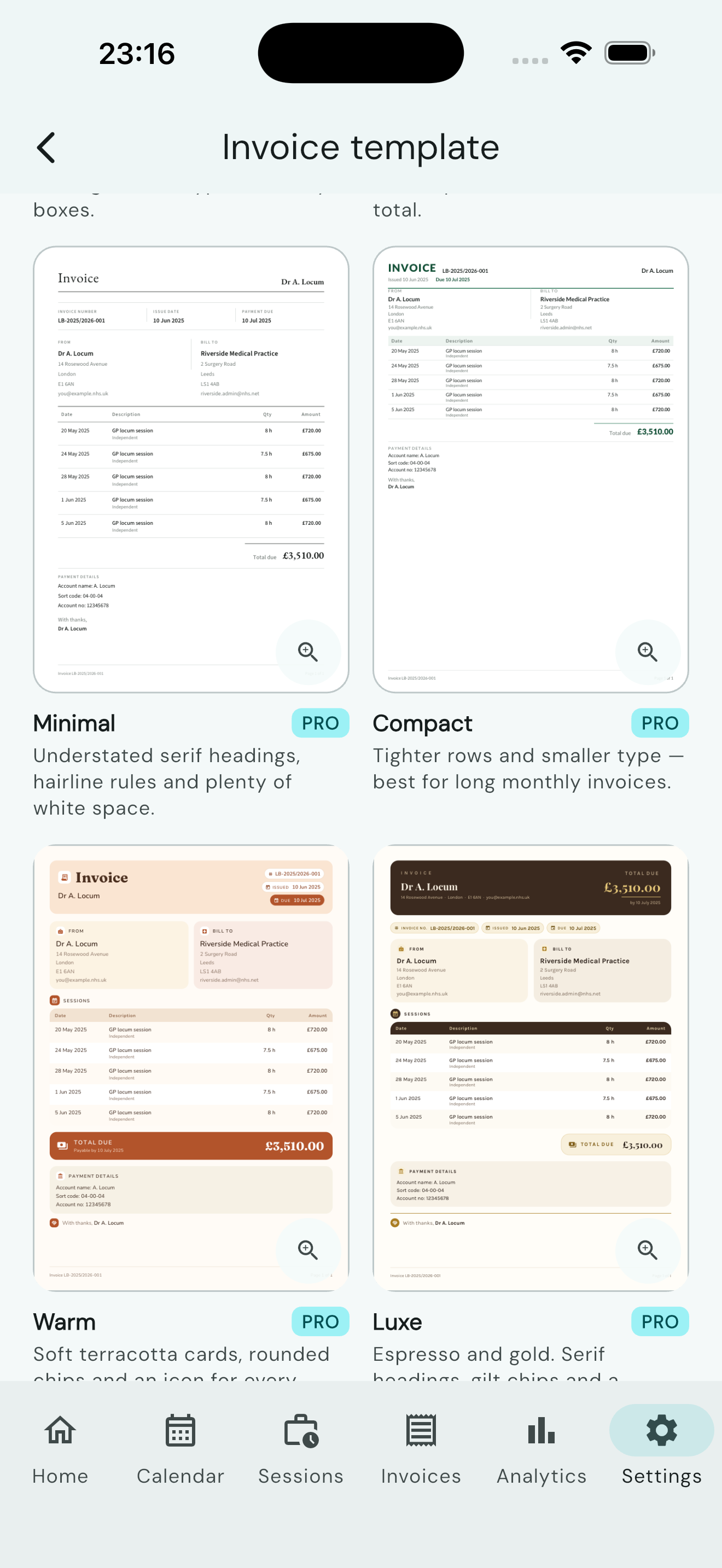
Personalise your invoice letterhead and layout in Settings → Invoice settings. The hub tile is Invoice settings.
Spreadsheet data export (Pro)
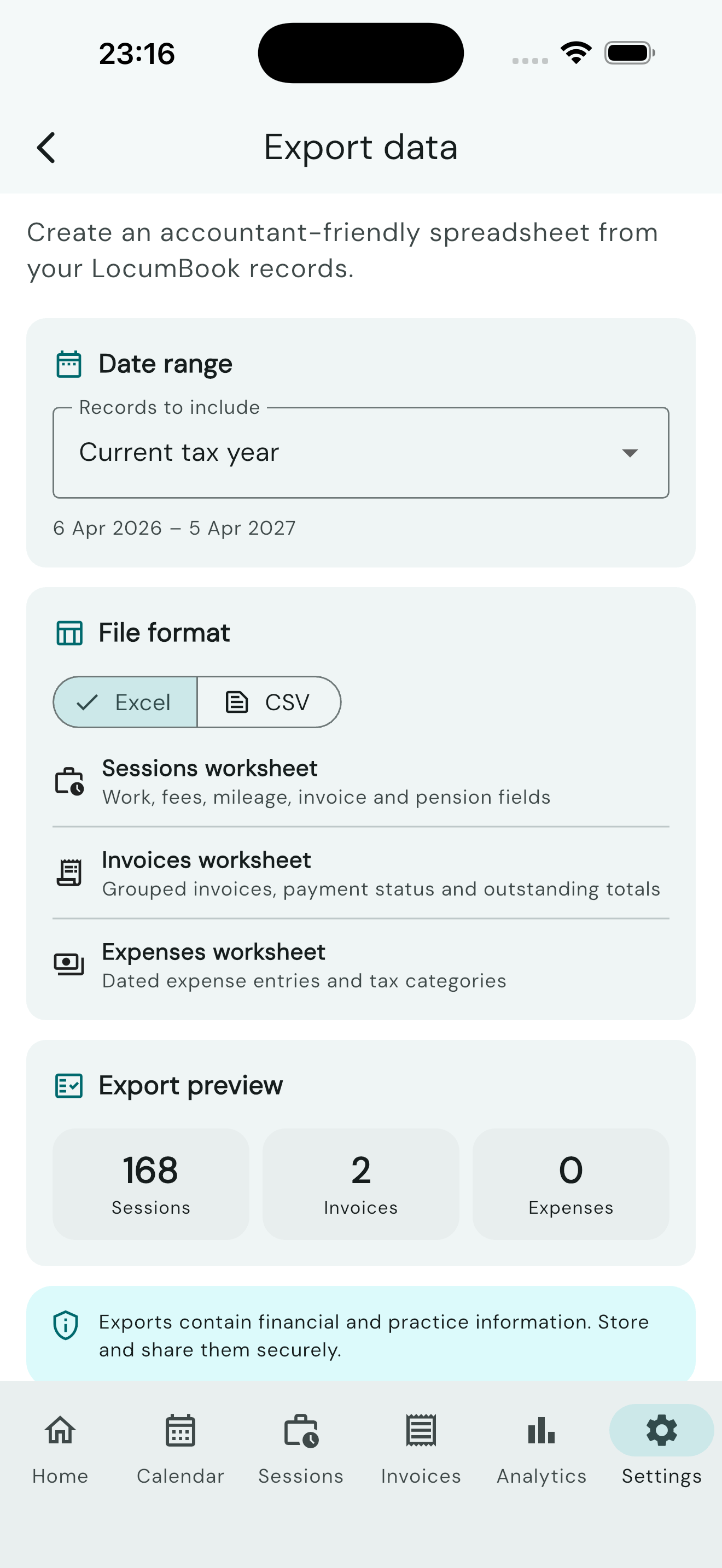
Open Settings → Data management → Export spreadsheet data to export a custom date range. The tile subtitle is Sessions, invoices and expenses · CSV or Excel.
- Excel creates one workbook. The preview lists Sessions worksheet, Invoices worksheet, and Expenses worksheet.
- CSV exports one CSV dataset (Sessions, Invoices, or Expenses).
Records to include is Current tax year, Previous tax year, Current month, All data, or Custom range. Save file stores the export. Share export opens the system share sheet. The screen title is Export data.
Export files contain financial and practice information. Store and share them securely.
About and privacy
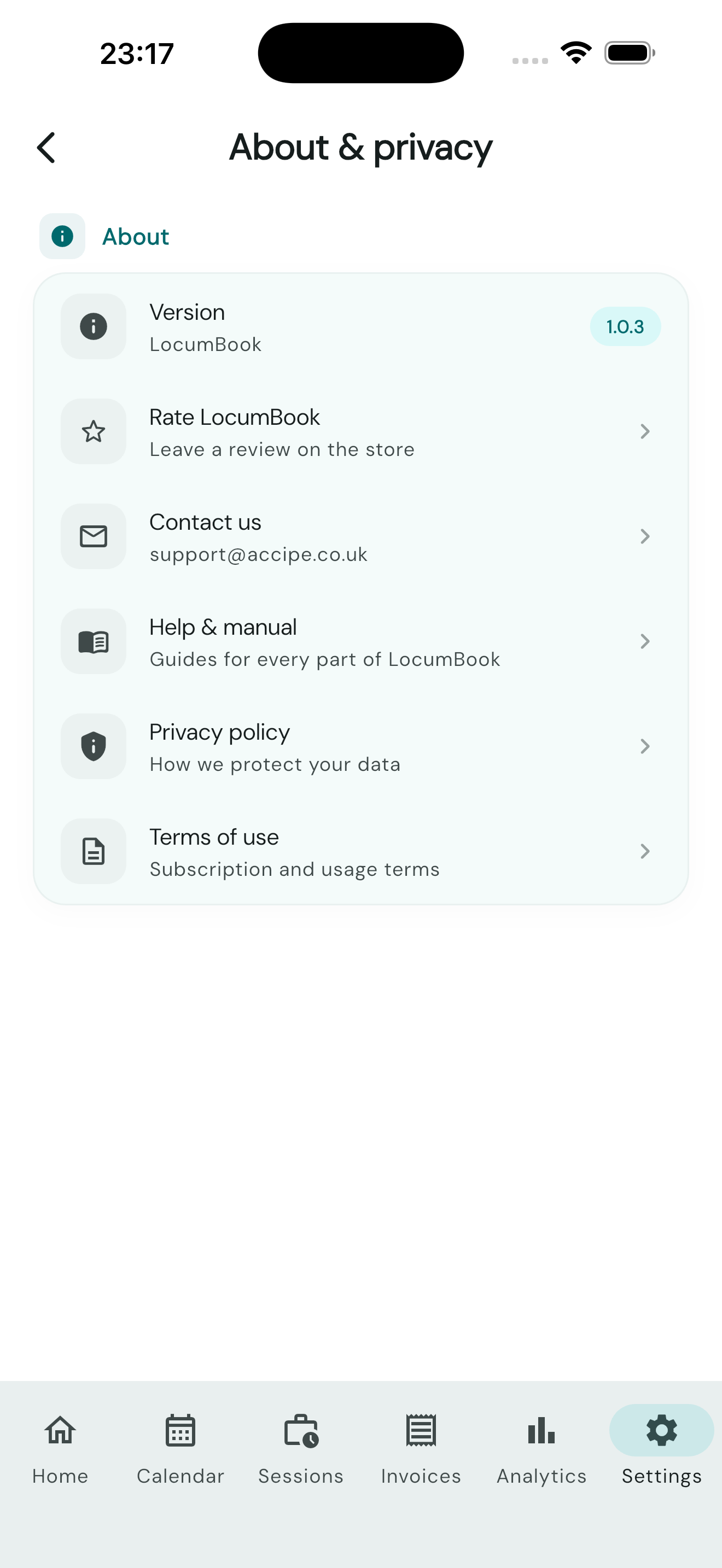
View your app version and read our Privacy Policy and Terms of Use. The hub tile is About & privacy.